


Complete Guide To Shopify POS Hardware & Pricing
Read on to learn everything you need to know about Shopify hardware: what you need, how much it costs, where to get it, and how you can get the most bang for your buck if you're budget-conscious.
-
WRITTEN & RESEARCHED BY
Editor & Senior Staff Writer
Last updated onUpdated
-
REVIEWED BY
Expert Contributor


Our content reflects the editorial opinions of our experts. While our site makes money through referral partnerships, we only partner with companies that meet our standards for quality, as outlined in our independent rating and scoring system.
Key Takeaways
- Shopify offers its own POS hardware plus supports select third-party devices -- just verify model compatibility before buying.
- Most Shopify plans work with full hardware setups, but the POS Pro add-on unlocks advanced tools and unlimited registers.
- Compare prices and purchase wisely, using Shopify for guaranteed support or trusted retailers for potential savings.
Shopify is a leader in eCommerce, and offers one of the best POS systems for in-person sales. It’s easy to see which hardware works with Shopify — whether you buy directly, source your own, or reuse what you have.
Your ideal setup depends on your device, plan, and payment methods — so this guide breaks down what you need, how much it costs, and how to get the best value.
Table of Contents
Shopify POS Hardware
Shopify offers several branded POS hardware options, including the POS Go, Tap & Chip Reader, and Retail Stand. Here’s what’s available.
Note that since our last update, Shopify has discontinued its Shopify Go hardware.
Shopify POS Terminal Countertop Kit
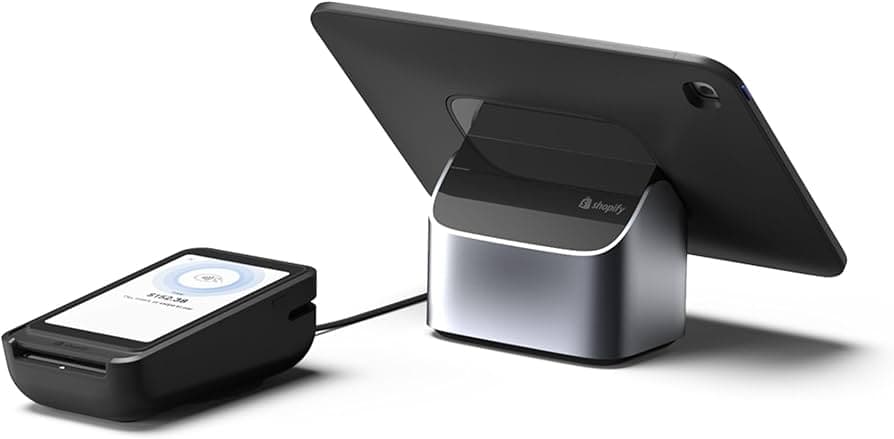
Here’s what you need to know about the Shopify POS Terminal Kit:
- Includes POS Terminal Reader, charging cable, and Bouncepad Eddy Tablet Stand
- Accepts chip, swipe, and contactless payments
- Compatible with 7″ to 13″ iPads and Android tablets
- Doesn’t include tablet, receipt printer, cash drawer, or barcode scanner
This kit is priced at $459.
Shopify POS Terminal
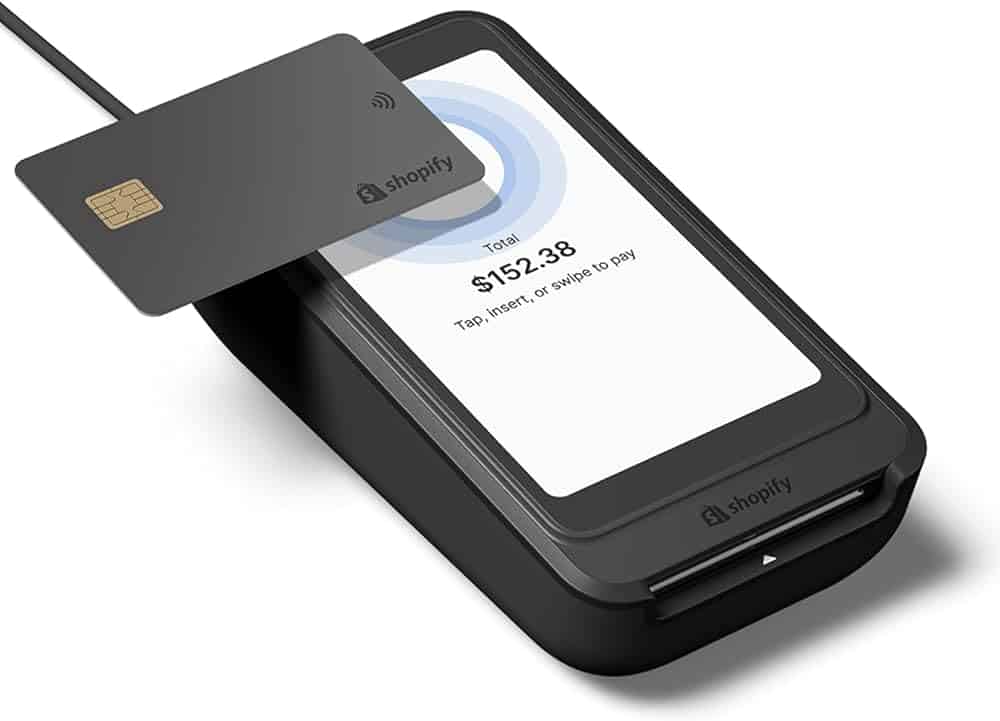
The Shopify Terminal is a good alternative to the now-discontinued Shopify POS Go. This hardware offers:
- All-in-one device that syncs with smartphones and tablets
- Accepts tap, chip, & swipe payments
- Customer-facing display that can be branded with logos or images
- Reader and dock combination make a great countertop setup
- Connects via Wi-Fi or Ethernet
- No built-in receipt printer, Bluetooth connectivity, or barcode scanner
The Shopify POS Terminal is priced at $349.
Shopify Tap & Chip Reader

The Shopify Tap & Chip Card Reader allows you to easily take payments from anywhere. Here are the highlights:
- Accepts chip & tap payments
- Connects wirelessly using Bluetooth
- Compatible with Apple & Android Devices
- Optional charging dock, which also raises reader to a comfortable height for customers
- Doesn’t accept swiped payments
- Must use Shopify Payments for processing
The Shopify Tap & Chip Card Reader is priced at just $49.
Shopify POS Tablet Stand
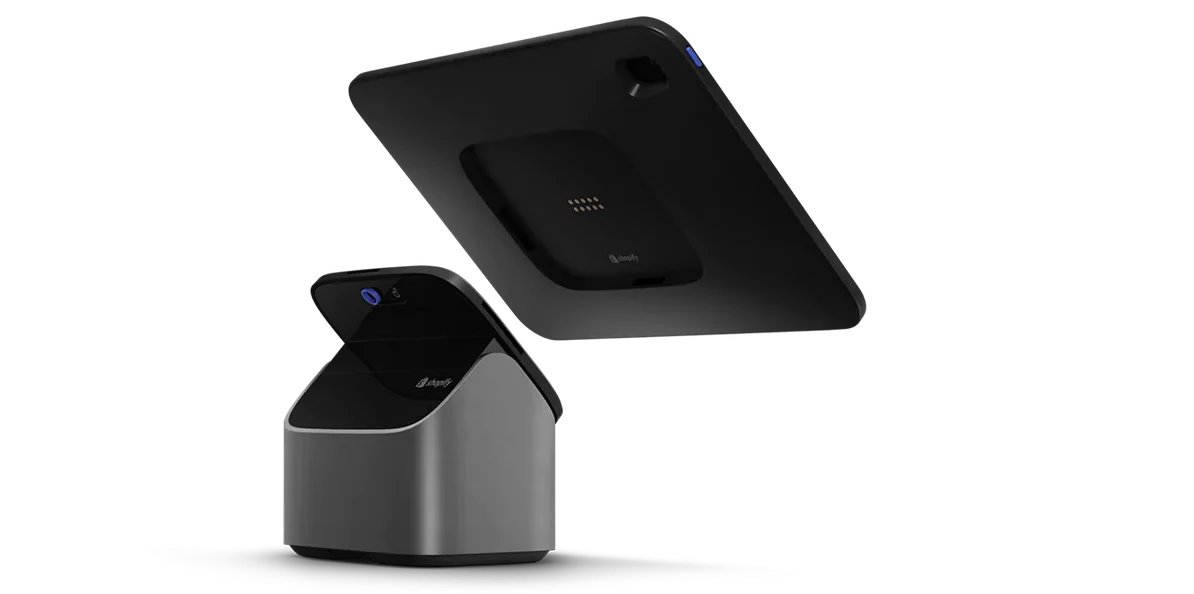
The Shopify POS Tablet Stand is compatible with Lightning-connector iPads. Here’s a breakdown of what it does (and doesn’t) offer:
- iPad case is detachable from stand base
- Tablet flips so customers can tip & sign off on their purchase
- Keeps tablet charged
- Includes 2 USB-A ports to attach peripherals like a card reader & barcode scanner
- Versions for 9.7″ iPad & 10.2″ iPad/10.5″ iPad Air
- Not compatible with iPad Air 3rd Generation
- Not compatible with Android tablets
The Shopify POS Tablet Stand is priced at $149 (both versions).
Shopify POS Hardware Compatibility
In addition to its own branded devices, Shopify POS works with a wide range of third-party hardware. Many of these components can be purchased directly from Shopify, and the company lists model numbers for verified compatible devices.
Shopify Software Plans & Hardware Compatibility
Your hardware compatibility with Shopify POS depends on your Shopify plan and the POS version you’re using. While all paid Shopify plans (above the Starter plan) allow you to take in-person payments, more advanced hardware and features typically require upgrading to the Pro add-on.
All Shopify plans (except the lowest-tier Starter plan) let you accept payments with the Shopify card reader. For full register setups, you’ll likely need to enable the Shopify POS Pro subscription.
Can I Buy Third-Party Hardware For Shopify POS?
You can buy most compatible POS hardware from third-party retailers, except for card readers, which must come directly from Shopify.
Shopify lists model numbers for supported devices, so you can comparison shop on sites like Amazon or Staples. Just verify compatibility before purchasing.
Buying through Shopify includes 24/7 support, a 30-day return policy, and financing options for larger purchases. Third-party sellers may not offer the same protections or support.
How Do I Get The Best Deal On Shopify Hardware?
Start by identifying what you actually need, and skip items like barcode scanners or cash drawers if you won’t use them. Make sure every component is compatible with your device, Shopify plan, and POS version.
Compare prices on Shopify’s hardware site by checking both bundle and individual costs. You can also shop third-party retailers, but review their return and support policies carefully, as Shopify won’t cover hardware bought elsewhere.
Erica Seppala
Editor & Senior Staff Writer at Merchant Maverick
Erica has been writing about small business finance and technology since 2008. She joined Merchant Maverick in 2018 and specializes in researching and reviewing business software, financial products, and other topics to help small businesses manage and grow their operations. Her expertise has been cited in MSN, Reader's Digest, Vox, U.S. News & World Report, and Real Simple. She is a Certified ProAdvisor for QuickBooks Online and QuickBooks Payroll, a graduate of Limestone University, and currently resides in Greenville, South Carolina.
View Erica Seppala's professional experience on LinkedIn.

Latest posts by Erica Seppala (see all)
- Employment Hero Review - June 11, 2026
- How To Start A Business - April 30, 2026
- Finix Review - April 7, 2026
- What Is Sam’s Club Point Of Sale By Clover? - September 8, 2025
- What Is Costco Merchant Services? - September 8, 2025




