What Is A Pay Stub? How To Create Pay Stubs Like A Pro
Understanding pay stubs can help employers and employees track wages, taxes, and payroll deductions.
-
WRITTEN & RESEARCHED BY
Editor & Senior Staff Writer
Last updated onUpdated
-
REVIEWED BY
Expert Contributor


Our content reflects the editorial opinions of our experts. While our site makes money through referral partnerships, we only partner with companies that meet our standards for quality, as outlined in our independent rating and scoring system.
Key Takeaways
- Pay stubs provide a detailed breakdown of employee earnings, taxes, deductions, and take-home pay.
- While federal law does not require pay stubs, many states have their own pay stub requirements for employers.
- Payroll software can simplify pay stub creation by automatically calculating wages, taxes, and deductions.
A pay stub gives employees a detailed breakdown of their earnings, taxes, and payroll deductions for a specific pay period.
Pay stubs help employees understand how their pay is calculated and allow employers to maintain transparency around wages, taxes, and deductions. Most payroll software platforms include employee pay stub features.
Table of Contents
What Is A Pay Stub?
A pay stub is a document that shows an employee’s wages, taxes, and payroll deductions for a specific pay period. Pay stubs help employers maintain payroll transparency and allow employees to understand how their pay was calculated.
Pay stubs may be provided as printed documents or electronically, depending on state laws and employer practices.
What To Include On A Pay Stub
Most pay stubs include the following information:
- Pay Period Start & End Date: The dates covered by the employee’s paycheck.
- Pay Rate: The employee’s hourly wage or salary rate.
- Hours Worked: The number of hours worked during the pay period.
- Additional Compensation: Overtime pay, bonuses, commissions, or holiday pay earned during the pay period.
- Gross Pay: Total earnings before taxes and deductions are removed.
- Net Pay: The employee’s take-home pay after taxes and deductions.
- Year-To-Date Earnings: Total earnings paid to the employee so far during the calendar year.
- Federal, State, & Local Tax Withholdings: Taxes withheld from the employee’s paycheck for government tax obligations.
- FICA Taxes: Payroll taxes that fund Social Security and Medicare.
- Benefit Deductions: Employee-paid benefits such as health insurance or retirement contributions.
- Employer Benefit Contributions: Contributions made by the employer toward employee benefits.
- Wage Garnishments: Required deductions for obligations like child support, unpaid taxes, or loan repayments.
What Should A Pay Stub Look Like?
Pay stubs contain several important payroll details that help employees understand their earnings, taxes, deductions, and take-home pay. Here’s a breakdown of the most common information included on a pay stub:
- Business Information: The employer’s business name and address.
- Payroll Company Logo: Some payroll providers include their logo on pay stubs, though customization options vary by software.
- Employee Information: The employee’s name, address, and employee ID or partial Social Security number.
- Pay Period & Pay Date: Shows the dates covered by the paycheck and when payment was issued.
- Hours & Earnings: Displays hours worked and total gross earnings for the pay period.
- Tax Deductions: Lists federal, state, and local payroll taxes withheld from the employee’s pay.
- Other Withholdings: Includes deductions for benefits like health insurance or retirement contributions.
- Payroll Earnings: Shows gross pay, deductions, and final net pay (take-home pay).
How To Create A Pay Stub
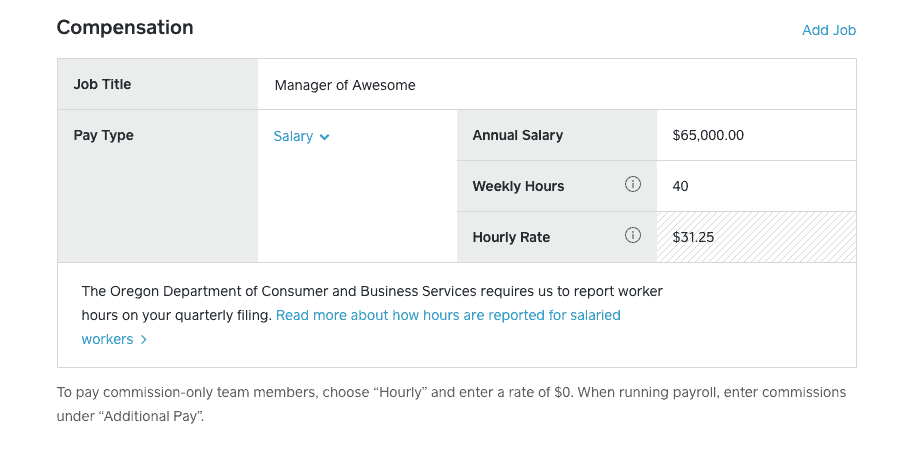
There are several ways small businesses can create pay stubs, but the easiest option is usually payroll software. Most payroll platforms automatically calculate wages, taxes, and deductions while generating employee pay stubs.
Payroll services vary in pricing and features. Gusto is a popular option for small businesses, while Square Payroll can be a good fit for businesses already using Square POS systems. Other popular payroll providers include ADP, QuickBooks Workforce, and Paychex.
If you don’t need full payroll software, there are also online pay stub generators and templates available. Some are free, while others charge per pay stub or require a subscription.
Am I Required To Provide Pay Stubs?
There is no federal law requiring employers to provide pay stubs. However, the Fair Labor Standards Act (FLSA) does require employers to keep accurate payroll records, including employee hours worked and wages paid.
Many states have additional pay stub laws that require employers to provide employees with access to payroll information, either electronically or in paper form. Some states specifically require printed pay stubs.
Because pay stub requirements vary by state, employers should review their state labor laws to ensure compliance.
The following states currently require printed pay stubs:
- California
- Colorado
- Connecticut
- Iowa
- Maine
- Massachusetts
- New Mexico
- North Carolina
- Texas
- Vermont
- Washington
Even in states without mandatory pay stub laws, employees generally still have the right to access payroll records upon request.
Why Including A Pay Stub With Payroll Is Important
Even when pay stubs are not legally required, providing them is still a best practice for employers.
Pay stubs help employees:
- Verify their wages and deductions
- Review tax withholdings
- Identify payroll errors
- Provide proof of income for loans, housing applications, or other financial needs
For employers, pay stubs improve payroll transparency and create a clear record of employee compensation and deductions. They also help support conversations about taxes, benefits, withholdings, and net pay if questions arise.
Take The Next Step: Create Pay Stubs For Your Employees
While pay stub requirements vary by state, providing employees with pay stubs is an important part of maintaining payroll transparency and accurate record-keeping.
Businesses can create pay stubs manually, use online pay stub generators, or invest in payroll software that automatically calculates wages, taxes, deductions, and employee pay records. For small businesses with multiple employees, payroll software can save time and reduce payroll errors.
Erica Seppala
Editor & Senior Staff Writer at Merchant Maverick
Erica has been writing about small business finance and technology since 2008. She joined Merchant Maverick in 2018 and specializes in researching and reviewing business software, financial products, and other topics to help small businesses manage and grow their operations. Her expertise has been cited in MSN, Reader's Digest, Vox, U.S. News & World Report, and Real Simple. She is a Certified ProAdvisor for QuickBooks Online and QuickBooks Payroll, a graduate of Limestone University, and currently resides in Greenville, South Carolina.
View Erica Seppala's professional experience on LinkedIn.

Latest posts by Erica Seppala (see all)
- Employment Hero Review - June 11, 2026
- How To Start A Business - April 30, 2026
- Finix Review - April 7, 2026
- What Is Sam’s Club Point Of Sale By Clover? - September 8, 2025
- What Is Costco Merchant Services? - September 8, 2025