How To Process Gusto Payroll
In this guide, you'll find a complete step-by-step walkthrough on how to do Gusto payroll, from signup to submission.
-
WRITTEN & RESEARCHED BY
Expert Contributor
Last updated onUpdated
-
REVIEWED BY
Editor & Senior Staff Writer


Our content reflects the editorial opinions of our experts. While our site makes money through referral partnerships, we only partner with companies that meet our standards for quality, as outlined in our independent rating and scoring system.
Key Takeaways
- Gusto payroll starts with setup: choose a plan, enter company and employee details, connect your bank account, and confirm your pay schedule.
- Running payroll in Gusto means reviewing hours, earnings, deductions, taxes, time off, and pay dates before submitting.
- Gusto also offers employee self-service, benefits, time tracking, HR tools, and mobile payroll features, depending on your plan and settings.
Gusto is a payroll and HR platform for small businesses that can help employers run payroll, pay employees and contractors, file payroll taxes, manage benefits, onboard employees, and handle basic HR tasks.
Gusto is one of our top payroll software options for small businesses, but how exactly does Gusto work? If you’re new to Gusto, the payroll process starts with setting up your company, employees, tax information, bank account, and pay schedule. Once setup is complete, running payroll usually means reviewing hours, earnings, deductions, taxes, and payment details before submitting payroll.
How To Run Gusto Payroll
Running payroll with Gusto can be straightforward once your account is set up. The exact steps may vary slightly depending on your plan, payroll settings, and whether you’re running regular, off-cycle, or contractor payroll.
For most regular payroll runs, admins review the pay period, confirm hours and earnings, check deductions and taxes, and submit payroll before the deadline.
Step 1: Choose A Gusto Plan & Create Your Account
Review Gusto’s current plans and choose the option that fits your payroll, HR, benefits, and support needs. Pricing and features vary by plan, so confirm what’s included before signing up.
Signing up for Gusto is an easy process. You can create an account online and begin entering your company information, or watch our quick video on how to sign up for Gusto to learn exactly what the process entails beforehand.
Step 2: Complete Payroll Setup
During setup, Gusto will ask for details about your business, payroll history, employees or contractors, tax information, bank account, and pay schedule.
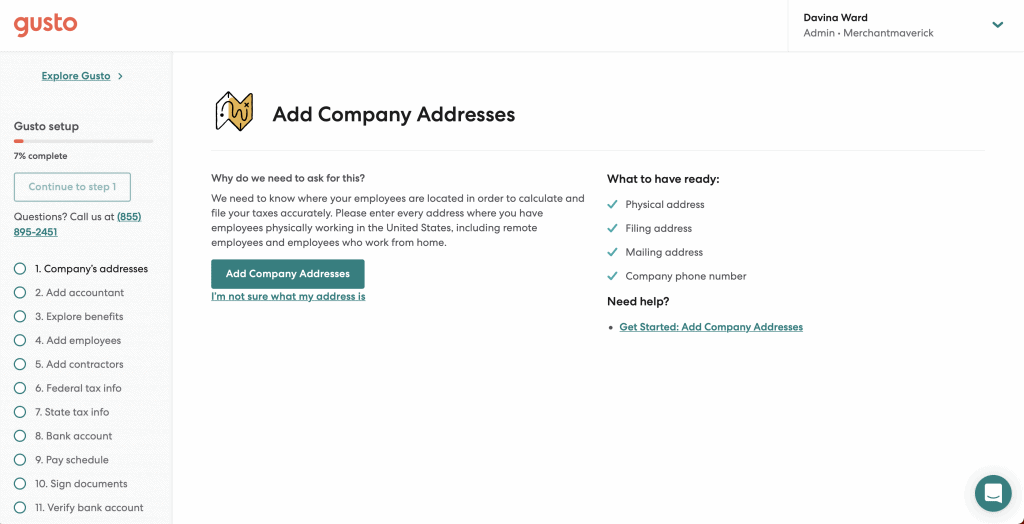
Gusto guides users through setup, but you’ll still need to review everything carefully before running payroll. Incorrect employee, tax, or bank information can cause payroll delays or tax issues.
Before submitting payroll, double-check employee details, tax setup, pay schedules, deductions, and bank information so you don’t have to correct payroll errors later.
Step 3: Start A Payroll Run
After setup is complete, sign in to Gusto and go to the payroll or pay section to start the correct pay period. Gusto’s support documentation currently directs admins to sign in, go to Pay, find the pay period, and select Run payroll.
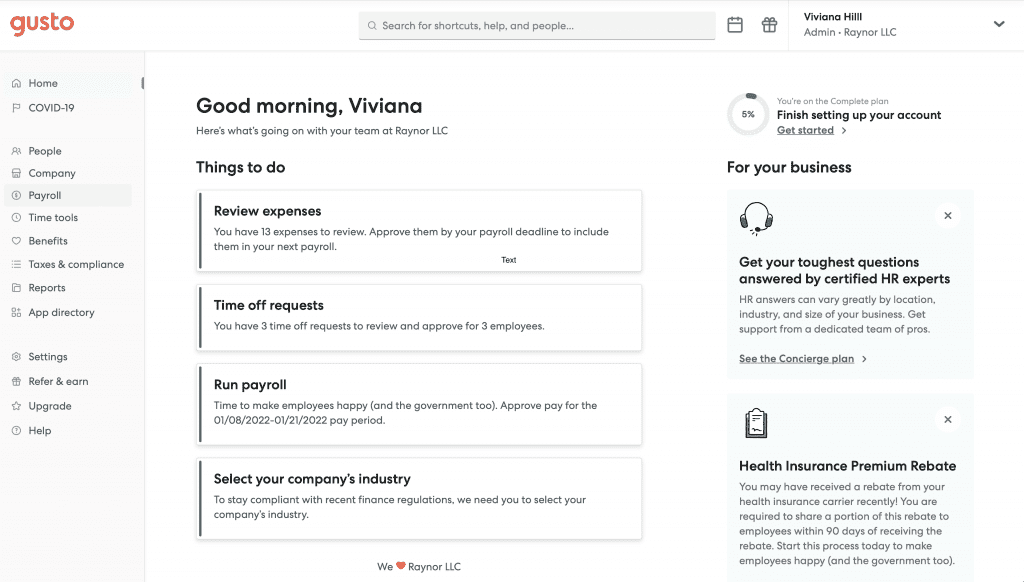
In the menu on the left side of the screen, click Payroll. On the drop-down menu, select Run Payroll.
Step 4: Review Hours & Earnings
After selecting Run Payroll, review each employee’s or contractor’s pay for the period. This may include regular hours, salary, overtime, bonuses, commissions, tips, reimbursements, corrections, and other earnings.
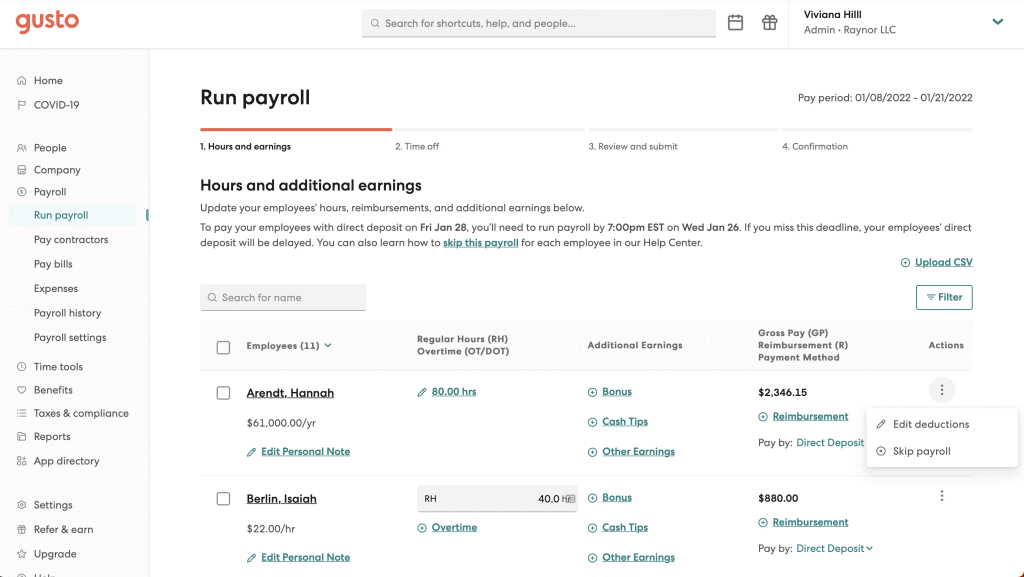
If you need to process deductions and withholdings, select the Three Vertical Dots under Actions on the right side of the screen. On the drop-down menu, select Edit Deductions to make any necessary changes.
Before moving on to the next step, be sure to review any changes you have made. Once you’ve completed your review, select Save and Continue to move on. If you want to cancel the payroll run, you can select Cancel, or if you need to save and come back to the payroll run, select Save and Continue.
Step 5: Review Time Off, Benefits, & Deductions
On this page, you’ll see a summary of your employee and contractor time off for the payroll period, including paid time off, sick hours, and additional time off.
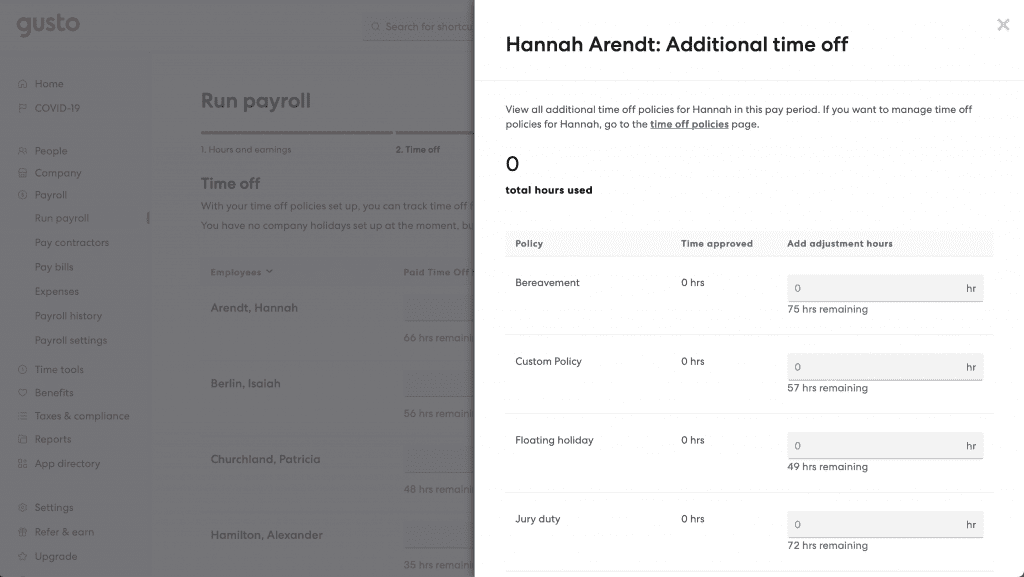
If you need to input time off manually, simply click the corresponding Grey Text Input Boxes underneath paid time off and sick hours. You can input the hour count, including decimals. If you need to submit additional time off for an employee, select View Details in the Additional Time Off column.
A pop-up menu will bring up the option to submit approved time off hours for Bereavement, Custom Time Off Policies, Floating Holidays, and Jury Duty by inputting the hours into the corresponding Grey Text Input Boxes. You should also note the hours remaining for each time-off policy to determine whether the employee has exceeded the limits of your company’s time-off policies.
If someone is missing from the payroll run, check their employment status, pay schedule, and payroll setup before submitting. If you are ready to move on, select Save and Continue from the options at the bottom of the page.
Step 6: Review & Submit Your Payroll Run
After submitting your final time off information, Gusto will process your payroll run. You will be taken to a Review and Submit page that summarizes all the details and information you submitted. Take a minute or two to review your payroll information and ensure that everything is correct and looks good.
If you would like a simplified summary of your payroll information, Gusto creates three reports that you can view on this screen: What Gets Taxed and Debited, What Your Employees Worked & Take Home, and What Your Company Pays. Click the Arrow on the left of each of these options to drop-down an in-depth report on each topic.
After you have reviewed all the information submitted, select Submit Payroll to complete your payroll run.
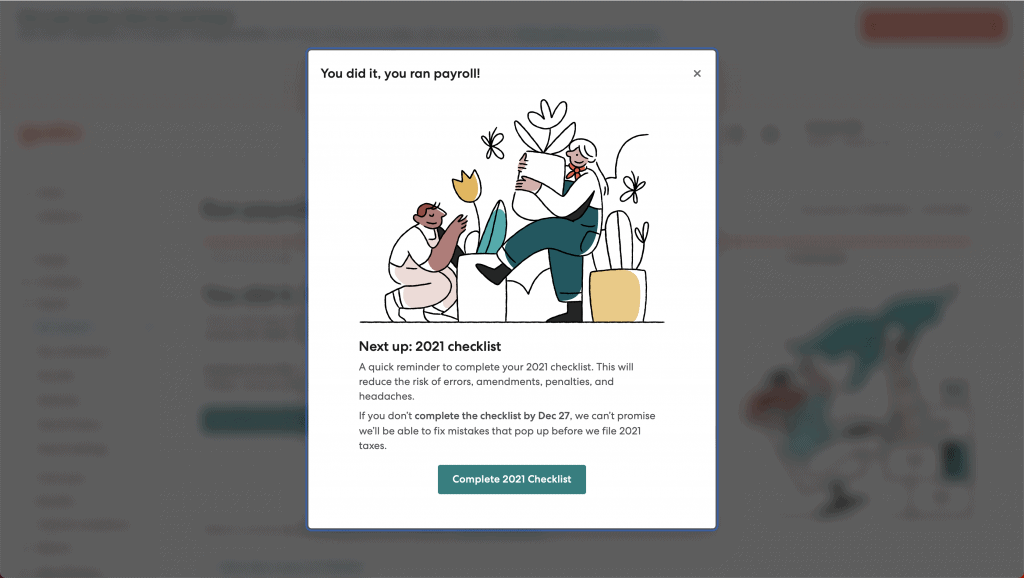
Note that Gusto also supports payroll from its mobile app. Gusto says employers can run regular and off-cycle payroll, manage team details, approve time off, and review expenses from the mobile app.
Tips For Using Gusto Payroll
Once payroll setup is complete, a few habits can make Gusto easier to manage and help reduce payroll mistakes. To help you maximize your Gusto experience, here are a few tips:
Use Gusto’s Help Prompts & Support Resources
If you’re unsure about a setting, tax field, deduction, or payroll item, use Gusto’s in-product help prompts or support resources before submitting payroll.
Invite Employees To Use Self-Service Tools
Employee self-service can help workers update personal details, review pay information, access tax forms, and manage benefits where available. This can reduce manual admin work and help keep records current.
Explore Gusto’s Features
As Gusto is billed as a payroll solution, it’s easy to overlook the platform’s other useful features. Gusto offers features beyond payroll, including benefits, time tracking, HR tools, onboarding, and employee management, depending on plan and add-ons. Review your plan so you know which tools are included and which cost extra.
For more payroll tips, check out these top payroll best practices that small businesses should be using.
Davina Ward
Expert Contributor
Davina began writing for small businesses in 2018 and has since gained expertise in the SaaS industry. She earned her Bachelor’s of Arts in English Literature from SUNY Geneseo in 2018.
View Davina Ward's professional experience on LinkedIn.

Latest posts by Davina Ward (see all)
- Homebase Payroll Review - December 18, 2023
- OnPay Payroll Review - December 1, 2023
- Toast Payroll Review - April 18, 2023
- How To Process Gusto Payroll - January 26, 2022
- Roll By ADP Review - September 8, 2021