


Accepting Credit Card Payments On Your Phone
Read More
Sep 18, 2024
Filed under: Credit Card Processing, Mobile Payments
Get started using Square's free magstripe reader for credit card processing. Learn how to use Square and whether it's right for your small business.

WRITTEN & RESEARCHED BY
Expert Contributor
Last updated onUpdated

REVIEWED BY
Expert Contributor
One of the most appealing aspects of Square is how easy it is for brand-new sellers or business owners to use. And learning how to use Square Reader, Square’s simplest and most popular piece of hardware, is no exception.
Using Square’s free magstripe reader or its reader for contactless and chip payments is simple for both merchants and customers, but we’ll walk you through the process and let you know your hardware options along with what you can expect to pay in upfront costs and fees. The good news is that once you’ve set up your free Square account, you can be up and selling in minutes.
Table of Contents
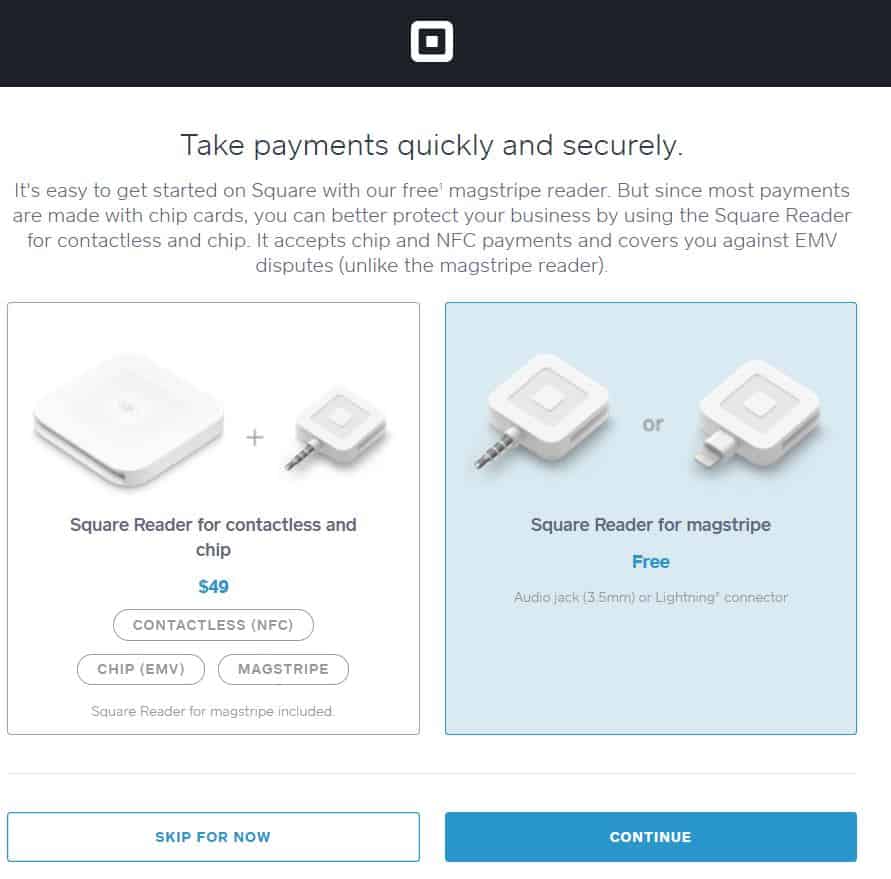
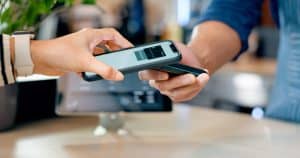
Square has two popular card readers: the magstripe reader, which is free when you initially sign up for Square and can only take swipe payments, and the reader for contactless and chip payments, which costs $49 and can take chip payments, contactless payments, and payments from Google Pay and Apple Pay.
Square offers very transparent pricing when it comes to payment processing. Using Square point of sale on a smartphone or tablet with a mobile card reader, you’ll pay the standard processing fee of 2.4-2.6% + $0.10 per swipe, dip, or tap. And keep in mind that no matter what type of card your customer hands you, Square charges the same fee per transaction.
If, for some reason, you need to key in the credit number, you will pay the 3.5% + $0.15 rate for manually-entered transactions. For Afterpay transactions, the fee is 6% + $0.30 per transaction.
After signing up for a new Square account, you can choose which free Square reader you would like — and Square will ship it directly to you for free. Depending on your device needs, you can choose between the lightning adapter for iOS or the standard 3.5mm headphone jack reader. The other option you have is to shell out $49 for the Contactless + Chip Reader.
The free magstripe card reader is great for getting started, but I recommend considering the upgraded Contactless + Chip Reader for improved payment security in processing. (It also offers your customers more ways to pay you.)
To accept payments with Square, you’ll need a Square reader, a smartphone, and the Square app.
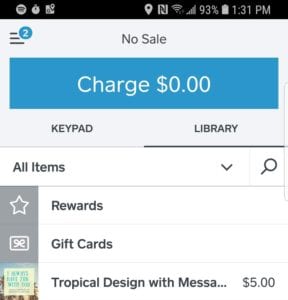
Don’t have a connection? Are you suffering from a spotty connection? Square’s offline mode helps you avoid losing the sale. The app securely saves your customer’s data, and the transaction will process when you connect your device to the internet again (Wi-Fi or cellular connection).
You may be wondering about the possibility of sharing a reader between different devices — or maybe even switching readers.
If you have more than one device, decide to upgrade a device (or reader, for that matter), need to swap a device, or hand your Square Reader to a different team member for them to plug into their phone, you can do so without an issue.
That’s because your account is anchored to your Square POS app, not to a specific reader. When you or your team member signs into the Square POS app, transactions go into the system automatically. You can use the same reader across different accounts, too.
Keep in mind that when you choose your reader, you may limit your usage. For example, you can only use the lightning reader with iOS, but the standard 3.5mm headphone jack reader is compatible with multiple devices. Of course, you can always purchase more readers to suit your needs and keep up with a growing team. As long as they are signed in to your Square account, all sales will sync to your account.
If you are considering how you can use Square’s countertop POS systems to make business flow, here are your options:
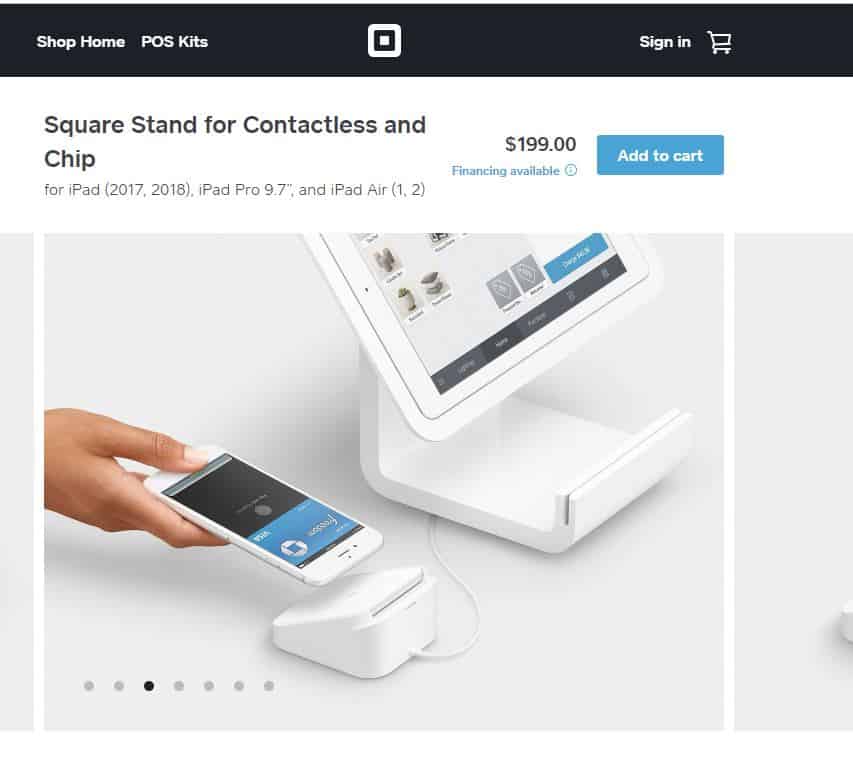
When you use the Square Stand with the free Square POS app, you will need to bring along your own compatible iPad (most recent model) or purchase an iPad to go into your stand. The magstripe reader is built-in if you must swipe, but we recommend utilizing the Square Reader for contactless and chip payment for the latest payment security protections. The Square Stand also comes with a dock to keep the contactless reader charged and stable.
When it comes time to ring up an order, you’ll complete the sale just as you would through your mobile device, as the free Square POS app is still the engine that’s running the whole thing. Square Stand makes a great choice if you are looking for a more prominent, bonafide countertop POS option. It has a simplistic design with minimal cords and offers more screen real estate to find inventory and add to your sale. You also have the ability to use your Square Stand in kiosk mode around your business with the Square Stand Mount.
The cost for this one is $199. If you want to add an iPad, you can do so for $329. Note that the stand is only compatible with an iPad (2017, 2018), iPad Pro 9.7”, or iPad Air (1, 2).
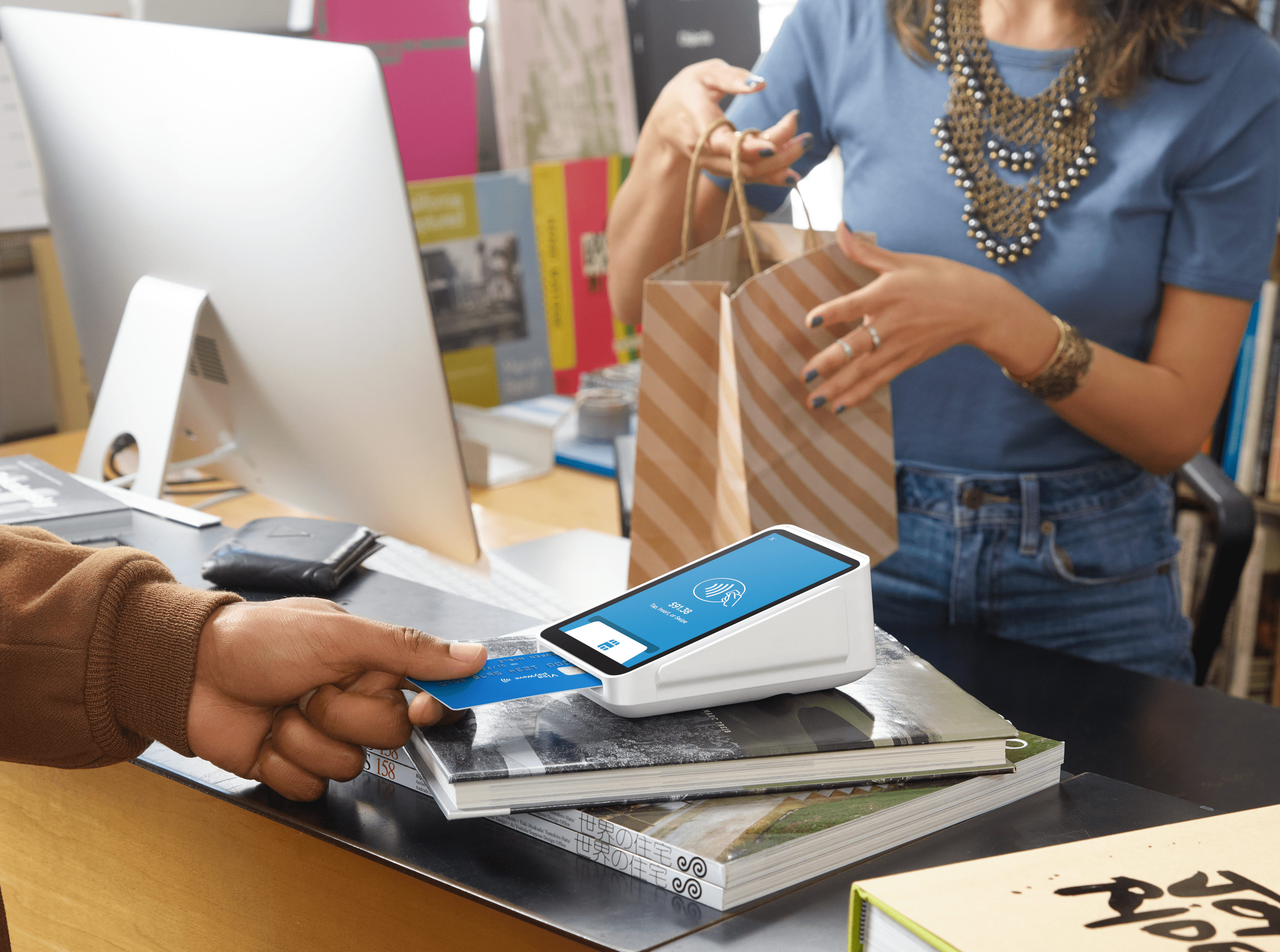 The Square Terminal is a great all-in-one choice if you want a little more portability than the Square Stand offers. You can swipe, dip, or tap credit and debit cards, and it even has a receipt printer built right in. Square Terminal runs the free Square POS app, so it’s easy when it comes to ringing up a sale. You can also access features such as your customer directory, reports, and inventory tools.
When all is said and done, the Square Terminal can hold its own as an excellent countertop solution, but it’s also lightweight enough to use as a mobile solution. And because Square POS has an offline mode built right in, you don’t have to worry about losing connection. Transaction data is all saved safely with Square and ready to process when your device is back online.
To get your business a Square Terminal, you’ll pay $299, shipping included.
There may be some situations when you need to take a payment from your customer, and you can’t swipe, dip, or tap the card. Maybe you don’t have your reader with you, or you want to take an order over the phone. Whether the card is physically present or not, if you manually enter the card information, it’s considered a card-not-present transaction.
In the next section, we will lay out the payment processing costs for such transactions. But first, let’s discover the ways you can process a card with Square if you don’t have your reader (or the card) in hand.
Regardless of how you accept a payment — keying in a card, swiping with a magstripe reader, a dip or tap, etc. — Square provides secure and PCI-compliant payment transactions. Square is fully compliant with the latest Payment Card Industry Data Security Standard (PCI-DSS). And that also means you won’t have to pay additional PCI fees or hire a team to manage ongoing compliance, either.
This out-of-the-box payment security is just one reason why Square is such a powerhouse for the millions of small business owners who trust it.
Square offers several solutions for businesses at every stage. That means if you’re a one-person shop now, you don’t have to worry about finding a new solution when you grow because Square offers so many scaleable hardware options. When it comes to taking payments at your storefront or on the go, there are many ways to go about it.
And with a transparent pricing model, there are no surprises on the back end. Because Square offers an all-in-one solution with payment processing and PCI-compliant security built right in, you don’t need to worry about jumping through hoops to keep up with the latest global payment security regulations.
Consider setting up a Square account and playing around with the possibilities. It’s free to set up a Square account, and there are zero commitments or contracts required.




Want to help shape the future of the Merchant Maverick website? Join our testing and survey community!
By providing feedback on how we can improve, you can earn gift cards and get early access to new features.
 Square POS is an intuitive and simple point of sale platform. It offers customizable tools and a variety of add-ons to fit your business needs and reach your goals.
Get Started
Square POS is an intuitive and simple point of sale platform. It offers customizable tools and a variety of add-ons to fit your business needs and reach your goals.
Get Started
Help us to improve by providing some feedback on your experience today.
The vendors that appear on this list were chosen by subject matter experts on the basis of product quality, wide usage and availability, and positive reputation.
Merchant Maverick’s ratings are editorial in nature, and are not aggregated from user reviews. Each staff reviewer at Merchant Maverick is a subject matter expert with experience researching, testing, and evaluating small business software and services. The rating of this company or service is based on the author’s expert opinion and analysis of the product, and assessed and seconded by another subject matter expert on staff before publication. Merchant Maverick’s ratings are not influenced by affiliate partnerships.
Our unbiased reviews and content are supported in part by affiliate partnerships, and we adhere to strict guidelines to preserve editorial integrity. The editorial content on this page is not provided by any of the companies mentioned and has not been reviewed, approved or otherwise endorsed by any of these entities. Opinions expressed here are author’s alone.
Square POS is an intuitive and simple point of sale platform. It offers customizable tools and a variety of add-ons to fit your business needs and reach your goals.
Get Started
