


Clover Go App & Card Reader Review
Clover Go has everything merchants need to take mobile credit card payments, but your pricing and experience can vary widely, depending on what reseller you buy from.
-
WRITTEN & RESEARCHED BY
Expert Contributor
Last updated onUpdated
-
REVIEWED BY
Expert Contributor


Our content reflects the editorial opinions of our experts. While our site makes money through referral partnerships, we only partner with companies that meet our standards for quality, as outlined in our independent rating and scoring system.
Clover Go

| Total Rating |
4.0 |
|---|---|
| Pricing3.2 | |
| Ease Of Use4.5 | |
| Features4.7 | |
| Customer Service4.4 | |
| User Reviews3.9 | |
Clover Go At A Glance
- Flat-rate payment processing through Clover.com (long-term contract required)
- Fewer features than Square, but includes dedicated merchant account
- Can use by itself (with a compatible phone or tablet) or as an add-on device to another Clover plan
Pros
- Syncs with your other Clover devices & data
- Free plan available
- Includes dedicated merchant account (unlike Square)
- Intuitive mobile app
Cons
- Typically requires a 3-year contract
- More expensive than other mobile card readers
- Mixed customer service reviews
Table of Contents
What Is Clover Go?
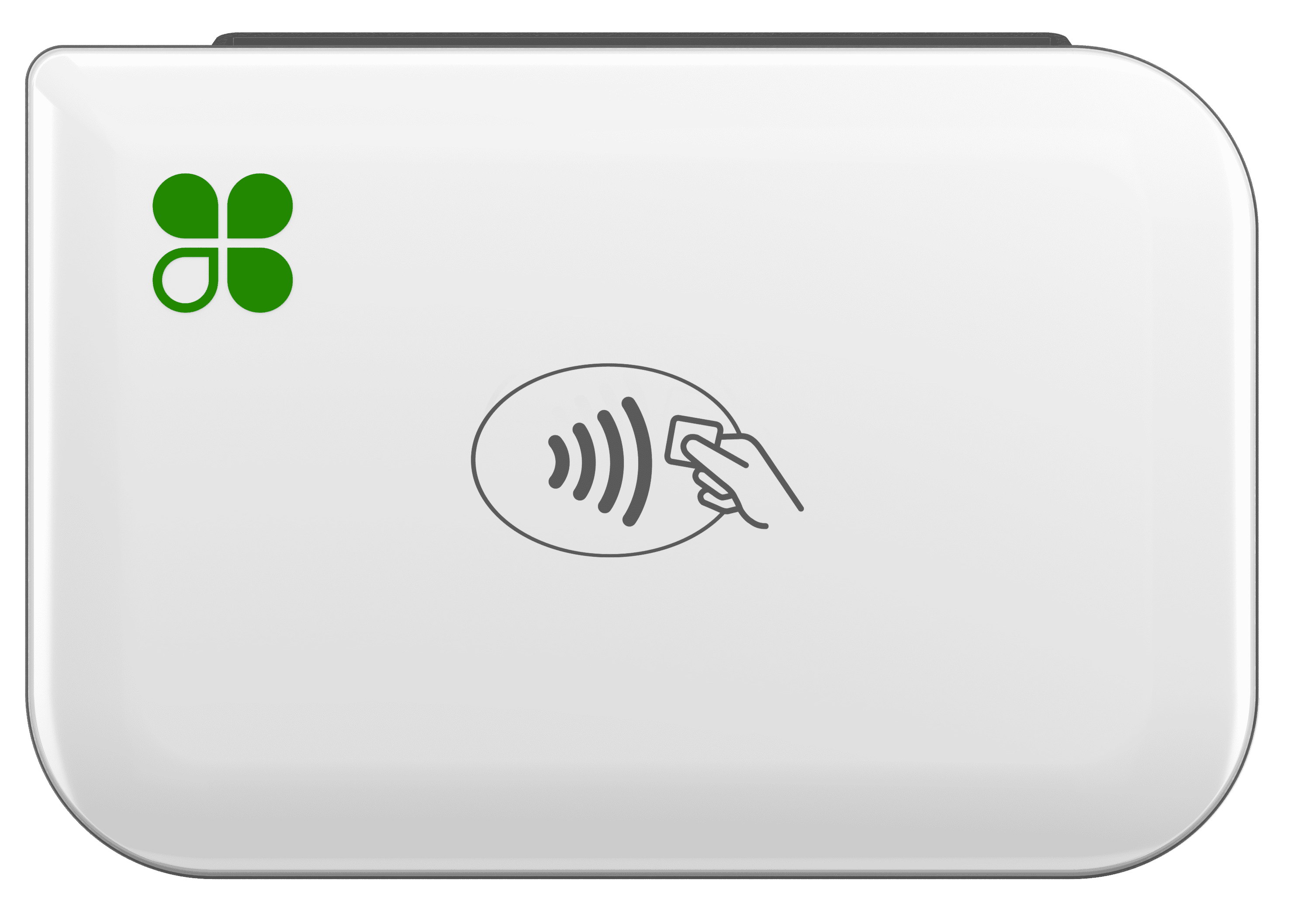
Clover Go is a mobile POS system that allows merchants to accept credit cards and contactless payments with a smartphone or tablet. The system includes a mobile payment reader, POS app, and merchant account. You can also integrate the Clover Go with other Clover hardware, such as the Clover Station Solo, which doesn’t accept contactless payments.
Clover Go Device Specs
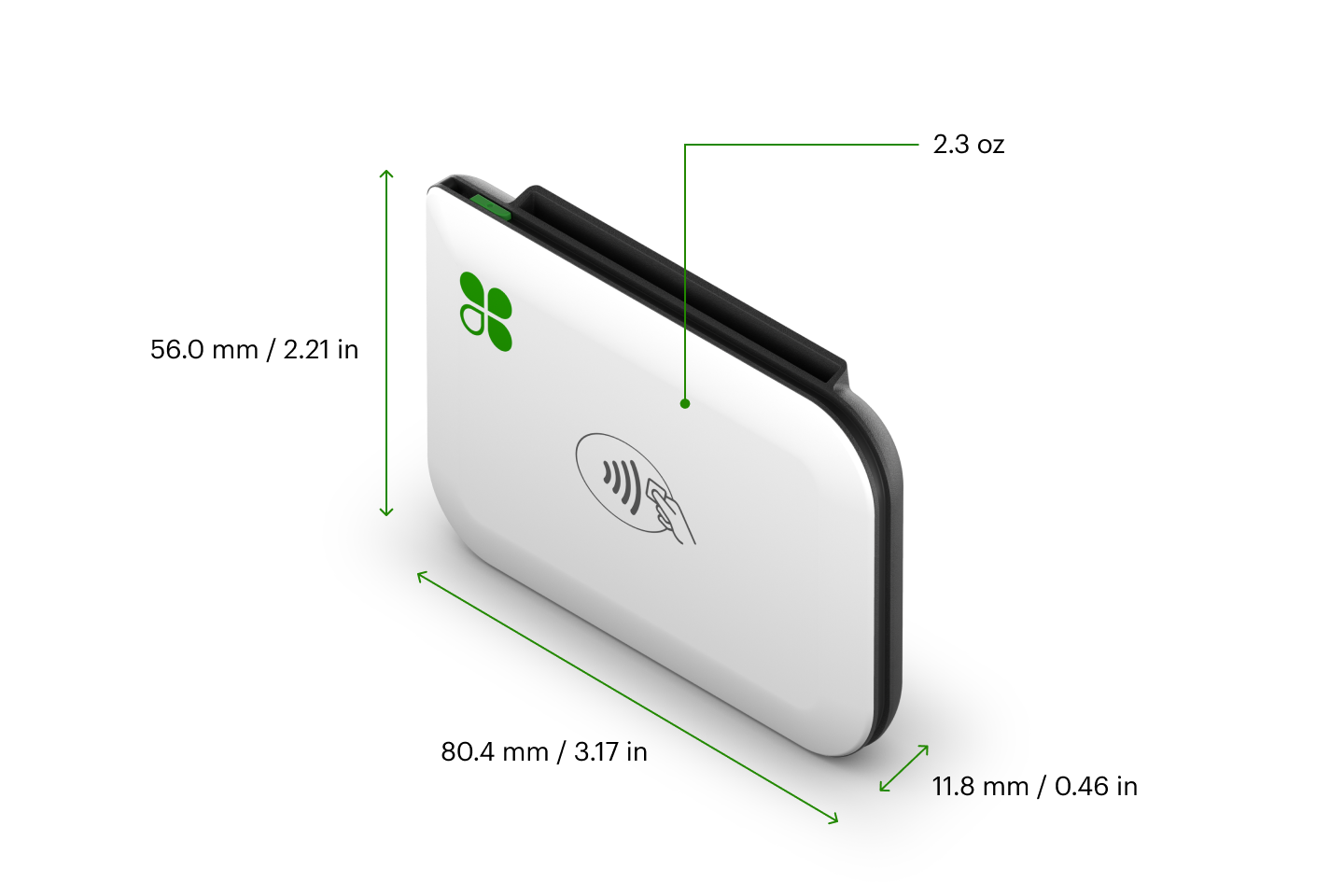
- Payments: Accepts chip and contactless payments including Apple Pay, Google Pay, and Samsung Pay.
- Connectivity: Micro USB for charging, Bluetooth® to mobile device for payment
- Battery life: Estimated 160 dip, 160 swipe, or 130 contactless transactions per charge
- Compatibility: Compatibility: iOS 10 (Bluetooth LE required) and Android 4.4 (and higher)
- Battery life: Estimated 160 dip, 160 swipe, or 130 contactless transactions per charge.
Note that while you can sync your Go to your phone or tablet (the Clover Go app is optimized for an iPad screen), Clover Go doesn’t support a receipt printer or cash drawer, so if you want something that can also do register duty, you’ll want to look at another Clover product or consider Square’s credit card reader.
Clover Go Pricing
| Pricing3.2 |
|---|
| Hardware 2.8 |
| Payment Processsing 3.8 |
In terms of software fees and processing fees, Clover Go is pretty affordable for small businesses. However, our Pricing score for Clover Go took a hit due to the high cost of the device itself, and the fact that the standard contract length is 3 years.
Pricing Overview
| Item | Value |
|---|---|
| Pricing Range | $0-$14.95/month (for standalone mobile POS plan) |
| Contract Length | 3 years |
| Processing Model | Flat-rate |
| Card-present Transaction Fee | 2.6% + $0.10 |
| eCommerce Transaction Fee | 3.5% + $0.10 |
| Keyed-in Transaction Fee | 3.5% + $0.10 |
| Equipment Cost | $199 |
Clover Go Processing Fees
All Clover Go accounts come with a Fiserv merchant account, but your rates and terms depend on where you buy your system.
When purchasing from Clover.com directly, you’ll get a processing rate of 2.6% + $0.10 for card-present transactions and 3.5% + $0.10 for card-not-present transactions. This higher payment processing rate applies for every payment type except swiped, chipped, tapped, or mobile wallet card payments.
Other Clover resellers package their Fiserv accounts differently and may use various other processing schemes, such as interchange-plus or tiered pricing, with potentially long-term processing commitments.
Clover Go Hardware Pricing
A Clover Go mobile payment reader is $199 if you purchase from Clover.com. This is pricier than most mobile credit card readers, which typically range from $50 to $100.
However, pricing can vary depending on where you buy your Clover system and associated merchant account. Some merchant services providers may give you a free Clover Go if you sign up for a merchant account.
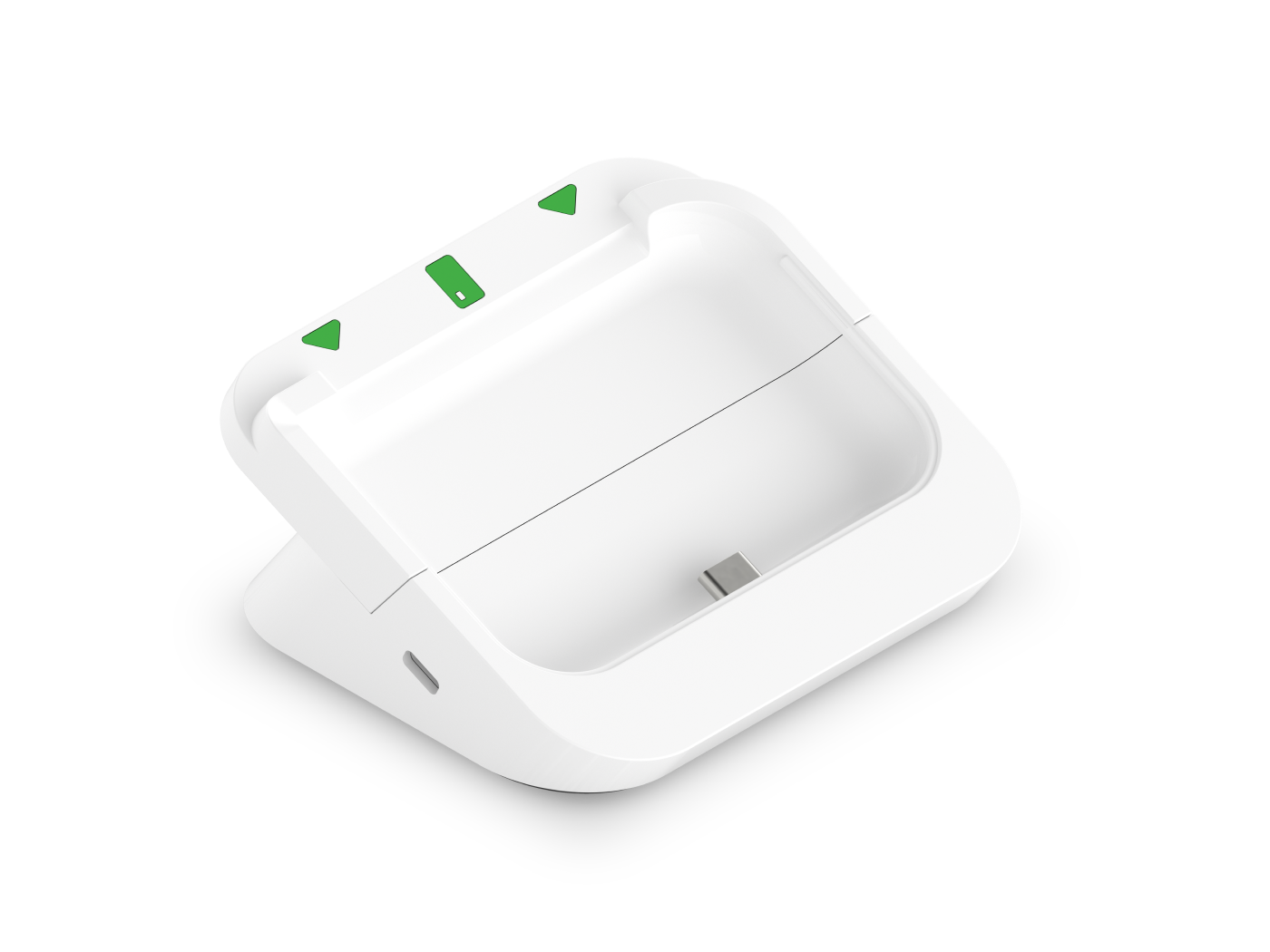
Clover also sells a Clover Go Dock (pictured above) to hold and charge your Clover Go if you want to use it with a countertop setup. Pricing for this add-on is not mentioned on the Clover website.
Clover Go Software Pricing
You may also be charged a monthly software fee to use Clover Go. Clover recommends the following plans for use with Clover Go:
| Clover Go Plans | Price | When To Use |
|---|---|---|
| Clover Payments | $0/month | If you need low-volume mobile payment processing only. Includes payment processing, paperless receipts, and basic sales tracking. |
| Clover Essentials | $14.95/month | If you need low-volume mobile processing with some basic POS features. Includes Payments plan features, plus a virtual terminal, basic inventory management, order management, refunds, discounts, taxes, employee permissions, item-level reporting, and offline mode. |
As an alternative to the above plans, rather than using the Clover Go as a standalone POS solution, higher-volume businesses have the option to use Clover Go with a more advanced software plan, such as the Register plan or a restaurant-specific plan.
If you’re using other Clover products already, Clover Go will most likely function as an add-on package with a potential monthly service fee on top of your contract.
Learn more about Clover software plans and pricing by reading our article on Clover POS costs.
Ease Of Use
| Ease Of Use4.5 |
|---|
| Initial Setup 4.4 |
| Device Use 4.5 |
Clover Go earns a good Ease of Use score from us thanks to its easy setup, easy syncing, and overall design. Overall, the Clover Go app is easy to use and navigate, though it will take a little time to configure most settings in a web dashboard rather than in the mobile app itself. Once you get the hang of the functions, Clover is just as user-friendly as any mobile POS app.
The device itself is also user-friendly, if a bit clunky. Unlike Square’s Bluetooth reader, Clover Go can accept swiped transactions, in addition to chip cards, contactless cards, and mobile wallets. The Clover Go app is also compatible with Tap-to-Pay on iPhone, which allows for easy contactless sales using just your iPhone—no card reader required. (You can also key-in card numbers manually using just the app, but you’ll pay the higher card-not-present rate if you go this route.)
Regarding the initial setup, note that you get a full merchant account with Clover Go, which should deliver greater account stability than payment service providers (PSPs, e.g., Square or PayPal). That also means it may take a few more days to get set up with Clover while Fiserv completes the required underwriting. So you shouldn’t expect to be set up and able to process payments on the same day.
Features
| Features4.7 |
|---|
| Device Hardware Features 4.6 |
| Device Software Features 4.8 |
Clover Go earns high marks from us in the Features department; for a mobile card reader, you get a lot of POS functionality with Clover Go.
With that being said, Clover Go features, compared to Square’s, are more limited, with some features tucked behind a paywall. Note that most of these features require the Clover Essentials plan or higher, and many features need to be enabled from within the browser setup and cannot be modified in the Clover Go app.
| Clover Go Features | Availability |
|---|---|
| Multi-Store Support | |
| Contactless Payments | |
| Multi-Channel Selling | With online ordering add-on |
| Gift Cards | |
| Customer Loyalty | |
| Marketing Tools | |
| Online Ordering | Optional add-on |
| Inventory Management | |
| Reporting | |
| Menu Management | With online ordering add-on |
| Delivery Management | With online ordering add-on |
| EBT Acceptance | |
| Employee Management | |
| Text Messaging |
Clover Go Features In Detail
- New Sale: Every mPOS out there has a quick-pay mode where you just punch in an amount and swipe a card. Clover Go is no different in that regard. Ring up items in the New Sale tab by selecting them from your inventory list or entering a custom item and price and having customers sign for their purchase on your device’s screen. This screen is optimized in landscape mode on the app’s iPad version.
- Card Scanner: If the card readers aren’t working, you can use your device’s camera to scan the card instead of manually entering it.
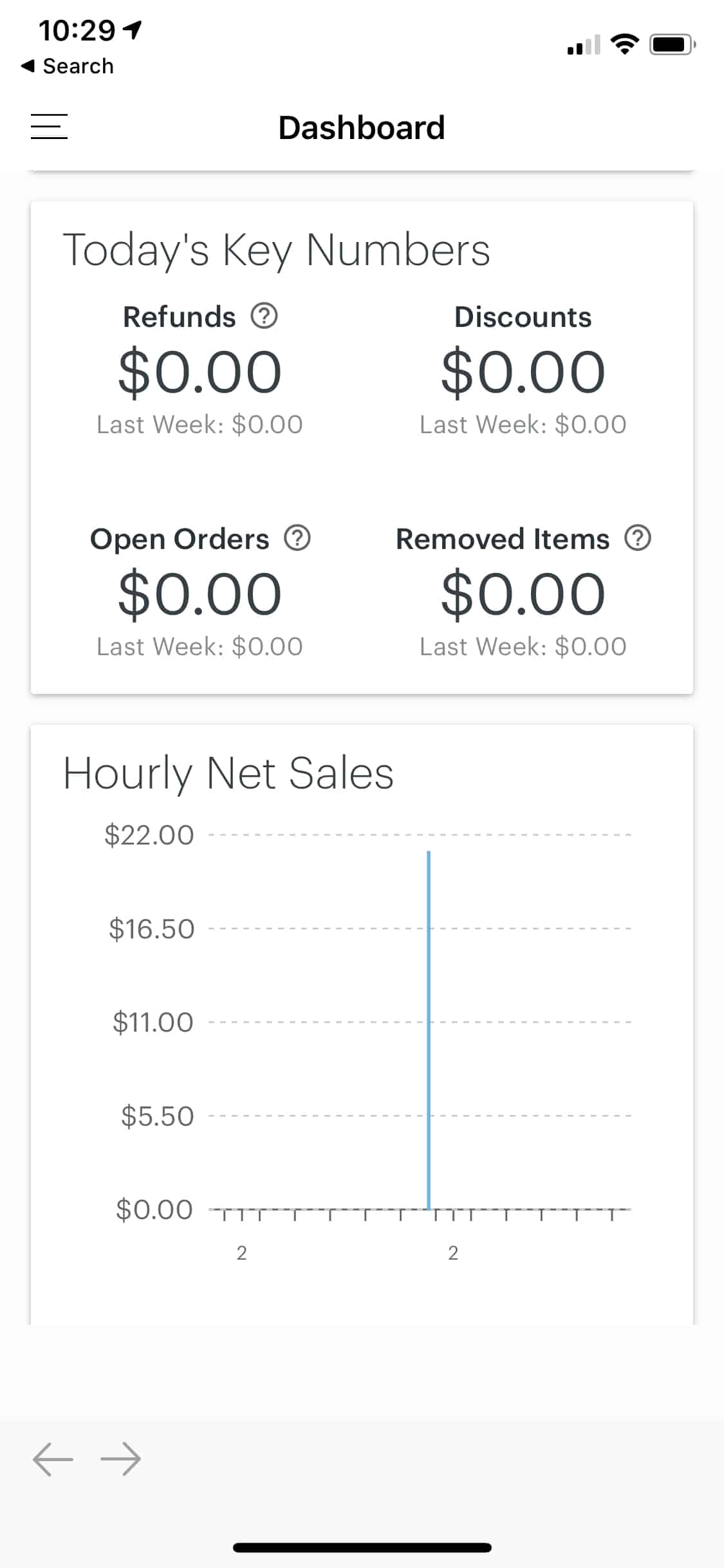
- Dashboard: In your Clover Go mobile dashboard (as opposed to your Clover’s web dashboard, which is a separate thing), you can update your business details, add employees, and view weekly sales data.
- Inventory: What sets Clover Go apart is its inventory mode. Most mPOS systems allow you to punch in a mix of items and a custom amount if needed. On the other hand, Clover Go has a separate, searchable inventory mode that lets you view and edit items and add new items. However, this feature isn’t available on the free plan.
- Item Descriptions: Pretty standard stuff here; you can see and edit an item’s name, price, category, tax rate, etc. Previously, you could only create items from within the Clover dashboard. You can now ring up custom items in the app and add these new items to your inventory either from the New Sale screen or the Inventory screen. Previous versions of Clover Go also didn’t support variable pricing or pricing per unit, so I was glad to see that Clover now supports these pricing options.
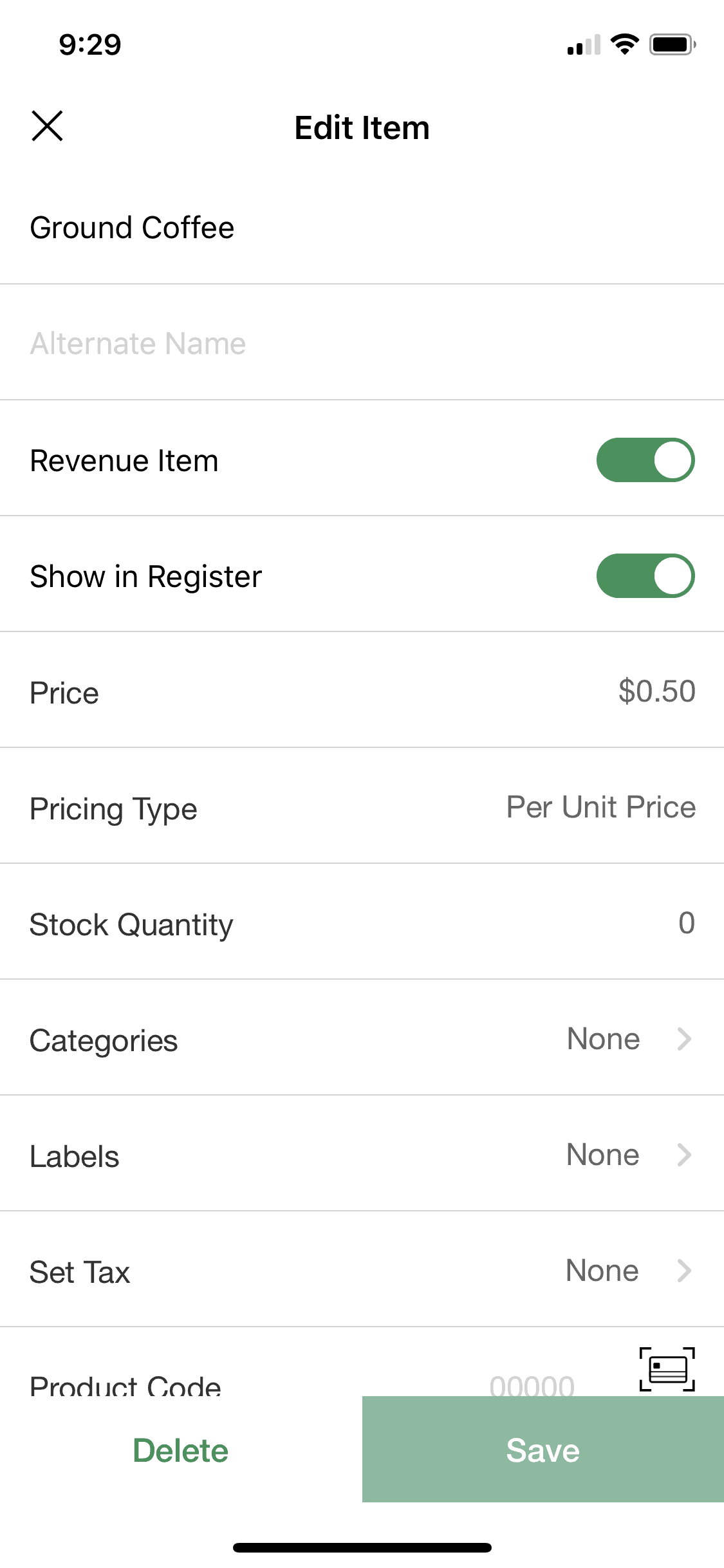
- Item Counts: Clover Go doesn’t have robust inventory counts. However, there is an integration with the dashboard where items sold in Clover Go will deduct from your inventory counts. Refunds will not restock items, however.
- Customizable Tip: You can enable tipping within the web dashboard and set it with up to four preset tip amounts.
- Customizable Tax: Clover Go’s tax management tools aren’t as robust as other options I’ve seen, but I’ll give Clover credit for allowing the application of multiple taxes to items. You can choose from some preset tax rates for an item in the app, but the tax rate options need to be managed from the dashboard.
- Email/SMS Receipts: When a transaction is complete, you can send a text message or email receipts to customers.
- Clover Suite Integration: Clover Go will sync back to the dashboard and work with other data if you’re using additional Clover products. However, not all of the features the other devices support translate into Clover Go.
- Unlimited Users: I was pleasantly surprised to learn that Clover allows you to create unlimited sub-user accounts for free. Clover also supports different permission levels so that you can control access to some features.
- Open Orders: This surprising feature allows you to pull up orders started in any other Clover POS system in Clover Go and vice versa, which is a nice touch, though only available with the Register level plan.
- Barcode Scanning: iOS users can scan barcodes to find items instead of searching for them within the app.
- Searchable Interface: You can find items by entering them in the search box instead of just scrolling through the list, which is another nice touch.
- Discounts: The Clover Go app’s major update added a much-needed discounting feature. This feature allows you to add preset percentage-based or value-based discounts and create new ones on the fly. However, you can only add discounts to the entire order, not individual items.
- Reports: The reporting suite includes the following (fairly basic) reports: Sales Overview, Sales Report, Tender Types, Card Types, Item Sales, Removed Items, Requested Reports, Order Types, Employees, Discounts, and Taxes. Recently, Clover improved the Export feature for the Sales Report and the Item Sales Reports, allowing you to be more flexible about the data you export.
Customer Service & Support
| Customer Service4.4 |
|---|
| Personal Support 3.8 |
| Self-Service 5.0 |
Customer service is an area where some businesses find Clover Go somewhat lacking. Still, Clover Go earns a good overall score in this area, as your account comes with round-the-clock phone support and many useful self-help resources and videos.
In addition to contacting Clover directly, you can also typically reach out to your processor for merchant account questions. However, you will be referred back to Clover’s support representatives for technical questions.
There is one dedicated 24/7 phone line for Clover Go support, but there aren’t really any other ways to contact Clover. Many Clover users report poor phone experiences, so keep this in mind when calling.
Clover also has tailored self-service online knowledge bases for Clover users based on their Clover hardware and software plan. This will serve you well for the vast majority of questions about features and standard uses. Clover also maintains videos and tutorials for Clover Go on YouTube. Clover has a social media presence and a blog, but these are not specific to Clover Go.
User Reviews
| User Reviews3.9 |
|---|
| Customer Feedback 4.0 |
| Review Site Aggregate 3.8 |
Our User Reviews score for Clover Go reflects its mix of positive and negative online reviews. For example, Clover Go reviews are very positive on the iTunes store but only mediocre on Google Play—iPhone users seem to generally have a better experience with Clover Go than Android users. You will also likely have a better experience with Clover Go if you buy from Clover.com directly instead of a Clover reseller.
Amid the lackluster reviews and complaints, you’ll still find some positive reviews of Clover Go. Here is what happy users praise the most:
- Compatible With Other Clover Systems: For merchants already using other Clover products, using Clover Go as a simple mobile solution makes a lot of sense. Information syncs up with an existing Clover account, which is a big selling point.
- Good Customer Service: I saw praise of Clover’s customer service come up often enough to mention it here, even though there are far more merchants claiming the opposite. Again, your experience will vary. Some resellers do better than others at providing support, especially in the onboarding process. Once you’re up and running, you’ll deal with Clover directly, which may not go as well.
- Pricing: Again, this doesn’t exactly come up a lot, but a handful of merchants say the pricing is comparable to other options. Your experience may vary, but I’m inclined to think the merchants that get the best deals are larger businesses or are using Clover Go as an extension of their existing Clover system.
Final Verdict Of Clover Go
| Clover Go Review Summary | |
|---|---|
| Pricing Range | $0-$14.95/month (for standalone mobile POS plan) |
| Choose If You Need |
|
Clover Go generally works best for mid-volume Clover merchants using a countertop Clover Station or Mini as their main POS and want Clover Go for mobile sales. However, in the past few years, Clover has tried to rebrand Clover Go as a standalone mobile POS for casual and low-volume businesses.
While I would still recommend Square for this type of user, Clover Go does offer the benefit of your own merchant account and can thus be a good alternative for businesses that have been burned by a payment service provider, such as Square, Shopify, or PayPal.
When it comes to pricing and transparency, your Clover experience will vary quite a bit, depending on which reseller you sign up with. However, your terms and pricing should be pretty upfront as long as you sign up through Clover.com directly.
If you decide to go with Clover Go, make sure you purchase your system from Clover.com or one of these best Clover resellers.
Shannon Vissers
Expert Contributor at Merchant Maverick
Shannon has been writing for Merchant Maverick about small business software and financing since 2015. She started writing professionally about business topics in 2005. Shannon has been featured in the Washington Post, Reader's Digest, US News, MSN, Yahoo Finance, Business Insider, and other publications. She has a bachelor's degree in English from San Diego State University and currently resides in San Diego, California.
View Shannon Vissers's professional experience on LinkedIn.

Latest posts by Shannon Vissers (see all)
- Helcim vs Stripe: Comparison - January 23, 2025
- Payment Nerds Review - December 11, 2024
- Wave Payments Review - October 31, 2024
- U.S. Bank Merchant Services Review - October 1, 2024
- Tap To Pay: A Guide For Merchants - August 29, 2024
To learn more about how we score our reviews, see our Mobile Credit Card Processing Rating Criteria.



