


Accepting Credit Card Payments On Your Phone
Read More
Sep 18, 2024
Filed under: Credit Card Processing, Mobile Payments
? Save money on credit card processing with one of our top 5 picks for 2026
These popular credit card readers offer robust features, low prices, and easy payment processing.

WRITTEN & RESEARCHED BY
Editor & Senior Staff Writer
Last updated onUpdated

REVIEWED BY
Expert Contributor
We reviewed top credit card readers based on payment method support, ease of use, features, and overall value. Here are our top picks.
Answer five questions about your volume, ticket size, and industry, and we’ll rank these processors for your business.
| Provider | Best For | In-Person Processing Rates | Price | Next Steps |
|---|---|---|---|---|
 | Overall Best Card Reader | 2.4% - 2.6% + $0.15 | $0 - $59 | |
 | Best Merchant Accounts | Custom | $199 | |
 | Best For Processor Choice | 2.3% - 2.6% + $0.10 per transaction | $199 | |
 | Best All-In-One Handheld | 2.4% - 2.6% + $0.15 | $399 | |
 | Best For High-Risk Merchants | Interchange + 0.20 - 0.25% + $0.09 - $0.10/transaction | Undisclosed | |
| Show More Options | ||||
 | Best Touchscreen All-In-One | 2.4% - 2.6% + $0.15 | $299 | |
 | Best For Low Flat-Rate Pricing | 2.29% + $0.09 (including QR code transactions) | $29 for first device | |
 | Best For Low-Volume Sellers | 2.6% + $0.10 | $99 - $249 | |
 | Best For Restaurants | 2.3% - 2.6% + $0.10 per transaction | Varies by plan | |
 | Best For eCommerce | 2.4% - 2.7% | $49 | |
| Show Fewer Options |
Overall Best Card Reader
Square is a good pick for small businesses that want affordable credit card readers, easy setup, and built-in POS tools.
Square offers a free magstripe reader for new accounts and a contactless and chip reader for tap, dip, and mobile wallet payments. Sellers also get access to Square’s free POS app, reporting, invoicing, inventory tools, and offline payment support.
Best Merchant Accounts
Helcim Card Reader works well for small businesses that want a portable card reader backed by a full merchant account.
The reader includes a 4-inch touchscreen, standalone mode, Wi-Fi and built-in mobile data, and support for tap, chip and PIN, and mobile wallet payments. Helcim also offers POS tools for inventory, customer management, invoicing, and reporting.
Best For Processor Choice
Clover Go works well for businesses that want a mobile card reader with more merchant services provider options than most app-based readers.
Clover Go connects via Bluetooth and supports chip and contactless payments through the Clover Go app. Businesses can buy directly from Clover or through a reseller, but pricing, contracts, and processing terms vary by provider.
Best All-In-One Handheld
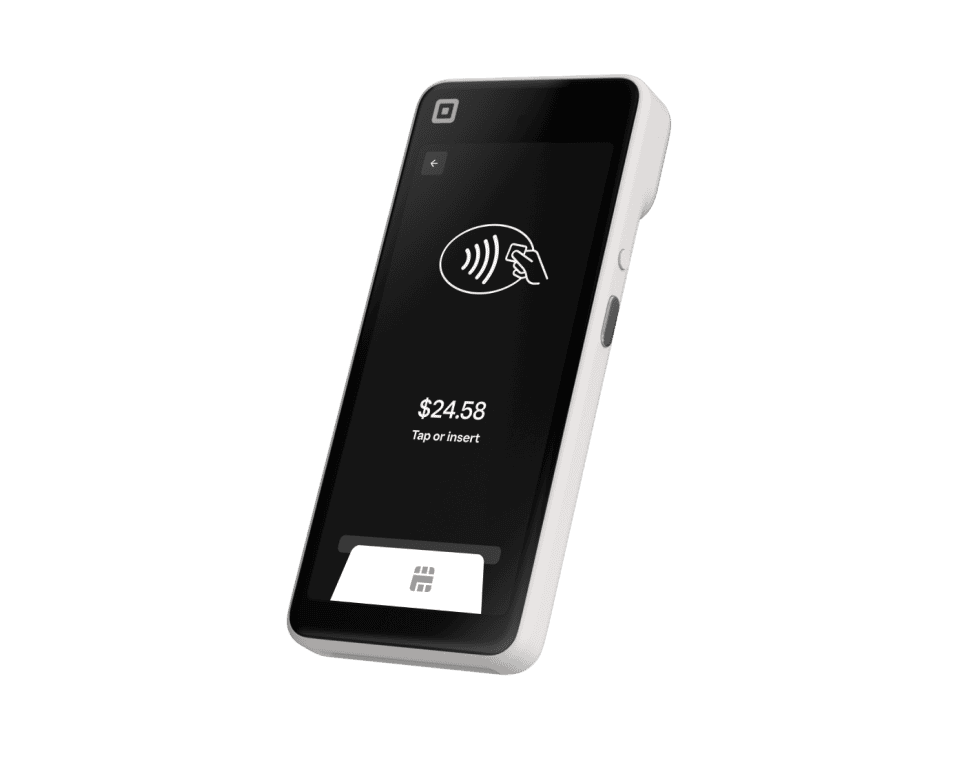
Square Handheld is built for businesses that need a pocket-sized POS for tableside service, retail sales, pop-ups, or inventory work.
Square Handheld includes built-in payments, a barcode scanner, camera, all-day battery, offline payments, and Square’s free POS software. It supports chip, tap, QR code, and mobile wallet payments, but magstripe payments require a separate Square Reader.
Best For High-Risk Merchants
Host Merchant Services is a strong option for high-risk businesses that need mobile payment processing and a full merchant account.
HMS offers SwipeSimple mobile processing with Bluetooth card readers that support EMV, magstripe, and contactless payments, depending on the reader. SwipeSimple also includes text and email receipts, basic inventory tools, invoicing, and offline mode.
Best Touchscreen All-In-One
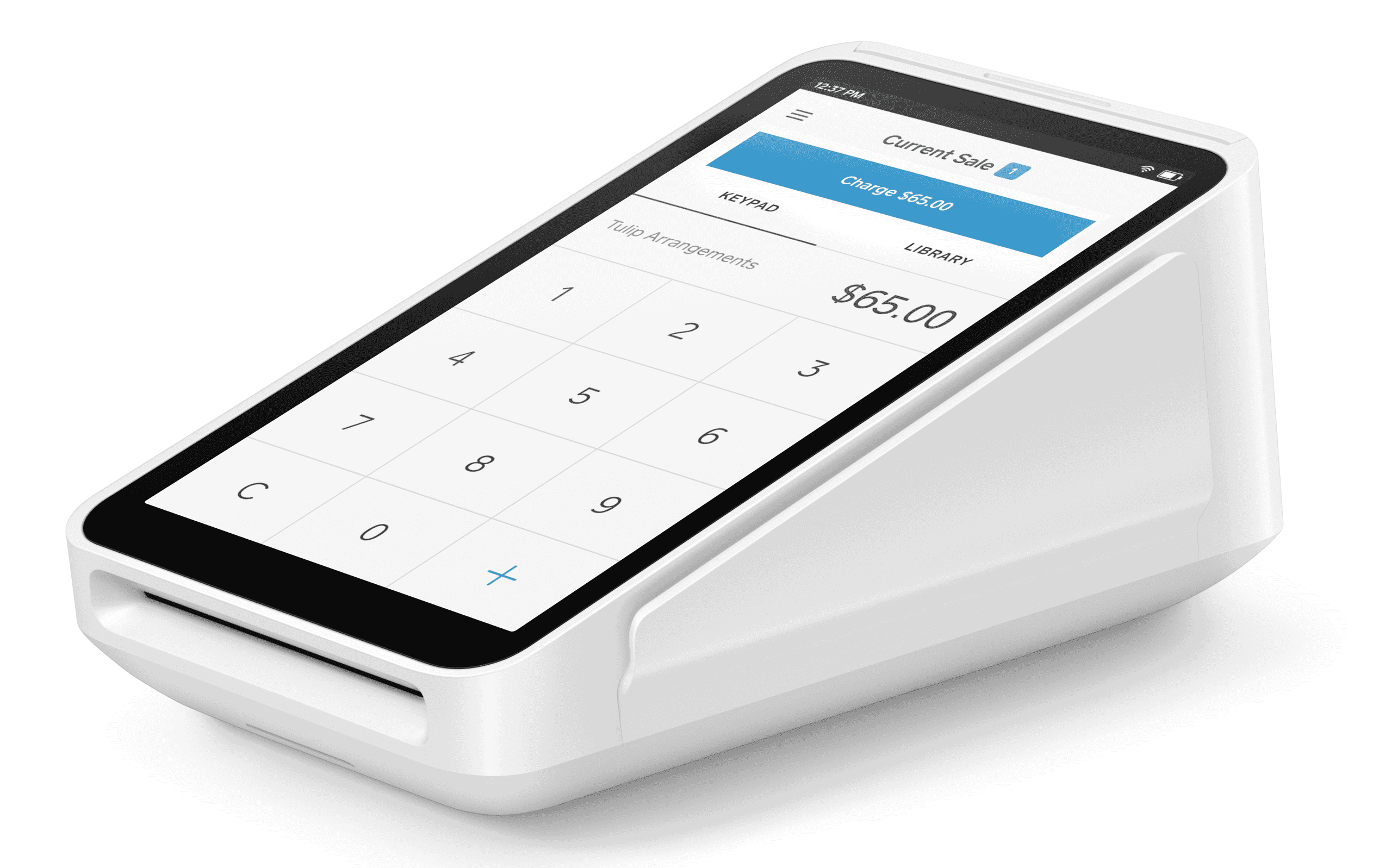
Square Terminal is built for businesses that want a standalone payment device with POS software and receipt printing built in.
Square Terminal accepts chip, swipe, tap, and mobile wallet payments, runs without a smartphone or tablet, and includes a touchscreen, built-in receipt printer, all-day battery, offline payments, and access to Square’s POS tools.
Best For Low Flat-Rate Pricing
PayPal Point of Sale is a good option for small businesses that want an affordable card reader connected to PayPal’s payment ecosystem.
The PayPal Card Reader supports chip, contactless, mobile wallet, and PIN payments through the PayPal POS app. Sellers also get basic POS tools for invoicing, item libraries, reporting, discounts, refunds, and same-day access to funds in PayPal.
Best For Low-Volume Sellers
SumUp is a good pick for mobile sellers that want simple card readers without advanced POS features or monthly software fees.
SumUp offers mobile payment devices for chip and contactless payments, including the standalone SumUp Solo and the more feature-rich SumUp Terminal. The SumUp app includes basic selling tools such as product libraries, receipts, tipping, analytics, and tax settings.
Best For Restaurants
Toast Go 3 is best for restaurants that need a durable handheld POS for tableside ordering, payments, and service on the floor.
Toast Go 3 supports tap, dip, swipe, and NFC payments, with restaurant-focused tools for orders, menus, checks, tips, and staff workflows. Pricing, contracts, and processing terms can vary depending on your Toast plan.
Best For eCommerce
Shopify is best for businesses that want a card reader connected to a full eCommerce and retail POS system.
The Shopify Tap & Chip Card Reader supports chip and contactless payments through Shopify POS and connects via Bluetooth. Shopify is especially useful for retailers that want inventory, customer profiles, staff tools, reporting, and online and in-person sales on one platform.



Want to help shape the future of the Merchant Maverick website? Join our testing and survey community!
By providing feedback on how we can improve, you can earn gift cards and get early access to new features.
 Square POS is an intuitive and simple point of sale platform. It offers customizable tools and a variety of add-ons to fit your business needs and reach your goals.
Get Started
Square POS is an intuitive and simple point of sale platform. It offers customizable tools and a variety of add-ons to fit your business needs and reach your goals.
Get Started
Help us to improve by providing some feedback on your experience today.
The vendors that appear on this list were chosen by subject matter experts on the basis of product quality, wide usage and availability, and positive reputation.
Merchant Maverick’s ratings are editorial in nature, and are not aggregated from user reviews. Each staff reviewer at Merchant Maverick is a subject matter expert with experience researching, testing, and evaluating small business software and services. The rating of this company or service is based on the author’s expert opinion and analysis of the product, and assessed and seconded by another subject matter expert on staff before publication. Merchant Maverick’s ratings are not influenced by affiliate partnerships.
Our unbiased reviews and content are supported in part by affiliate partnerships, and we adhere to strict guidelines to preserve editorial integrity. The editorial content on this page is not provided by any of the companies mentioned and has not been reviewed, approved or otherwise endorsed by any of these entities. Opinions expressed here are author’s alone.
Square POS is an intuitive and simple point of sale platform. It offers customizable tools and a variety of add-ons to fit your business needs and reach your goals.
Get Started
