May 2026 Offer: Get a free credit card reader from Square Payments
Sign up for a free account with Square and get a complimentary card reader, point-of-sale app, and a suite of tools to run a better, more profitable business. No monthly fees required.
The best point of sale systems for a convenience store will satisfy regulatory and inventory needs whether you own a corner shop or a major chain.
Nicolette began writing on small business topics in 2020. After hundreds of hours researching, testing, and assisting small business owners with web building and point of sale software, she is now an expert on all things eCommerce and point of sale. She has a bachelor’s degree in English from the University of Pittsburgh and resides in Pittsburgh, Pennsylvania.
WRITTEN & RESEARCHED BY
Nicolette KierNicolette began writing on small business topics in 2020. After hundreds of hours researching, testing, and assisting small business owners with web building and point of sale software, she is now an expert on all things eCommerce and point of sale. She has a bachelor’s degree in English from the University of Pittsburgh and resides in Pittsburgh, Pennsylvania.
Expert Contributor
Last updated onUpdated
Erica has been writing about small business finance and technology since 2008. She joined Merchant Maverick in 2018 and specializes in researching and reviewing business software, financial products, and other topics to help small businesses manage and grow their operations. Her expertise has been cited in MSN, Reader's Digest, Vox, U.S. News & World Report, and Real Simple. She is a Certified ProAdvisor for QuickBooks Online and QuickBooks Payroll, a graduate of Limestone University, and currently resides in Greenville, South Carolina.
REVIEWED BY
Erica SeppalaErica has been writing about small business finance and technology since 2008. She joined Merchant Maverick in 2018 and specializes in researching and reviewing business software, financial products, and other topics to help small businesses manage and grow their operations. Her expertise has been cited in MSN, Reader's Digest, Vox, U.S. News & World Report, and Real Simple. She is a Certified ProAdvisor for QuickBooks Online and QuickBooks Payroll, a graduate of Limestone University, and currently resides in Greenville, South Carolina.
Editor & Senior Staff Writer
Our content reflects the editorial opinions of our experts. While our site makes money through referral partnerships, we only partner with companies that meet our standards for quality, as outlined in our independent rating and scoring system.
Running a convenience store requires software that can handle more than just sales. The right POS system helps streamline daily operations, reduce losses, and keep transactions fast and accurate.
We evaluated 11 of the best retail POS systems based on pricing, ease of use, inventory and employee management, and features built specifically for convenience stores.
A convenience store POS system is software that, paired with compatible hardware, lets you take digital payments and manage your store’s unique operations from one place. The best convenience store POS systems combine these specialized functions to help you serve customers efficiently while maintaining compliance and profitability.
These systems often include tools to sell regulated items (alcohol, tobacco, lottery tickets), manage perishable and nonperishable inventory, accept EBT and fleet card payments, control fuel pumps and track fuel inventory, support self-checkout and made-to-order food kiosks, and create loyalty programs.
5 Best POS Systems For Convenience Stores
The best POS system for convenience stores offers affordable pricing, strong inventory management, regulated item sales, many POS hardware options, employee and theft management, and a loyalty program.
Tobacco, vape, alcohol, lottery, and EBT sales functions
Perishable inventory tracking
Theft prevention features
Offline sales supported
Cons
No built-in fuel sales solution
Support and cloud backup cost extra
Pricey for smaller stores
Why We Chose POS Nation
With built-in age verification software, EBT payment capabilities, tobacco/alcohol inventory management, and food service features such as perishable inventory tracking, POS Nation has all the features you need to run a convenience store of any size.
POS Nation offers custom packages, so you can choose the hardware and software that work best for your business.
POS Nation Pricing
POS Nation has a “build and price” page that you can use to get an idea of how much you may pay per month for POS hardware and software.
There are several pre-built packages available that start at $39/month for smaller retailers.
POS Nation Features
POS Nation is heavily focused on allowing store owners to sell and manage all types of convenience items, including:
Sell alcohol, tobacco, vapes, and other regulated items with an integrated ID scanner and cashier prompt for customer ID.
Perform case breaks, vape kitting, and collect inventory data for tobacco rebate programs.
Automatically flag EBT items at checkout and allow customers to pay for EBT-eligible and non-eligible items in one transaction.
Create special tax settings for EBT sales.
Sell and redeem lottery tickets at your POS register.
Monitor perishable and nonperishable inventory to reduce food wastage.
Strong loss prevention features, including blind and forced till counts, damage and loss reports, and integrations with security cameras.
Advanced inventory features
Offline mode
Hardware Options
If you’re paying monthly, the cost of the hardware is included in the monthly fee. If you pay a one-time fee, you own the hardware forever.
Upon signup, you will receive a convenience store POS bundle, which includes a touch PC, receipt printer, scanner, cash drawer, and chip card reader. You can also purchase other hardware, such as scanners, separately.
You will need to purchase a fuel site controller from another hardware vendor if you intend to sell fuel at your convenience store.
Payment Processing Costs
POS Nation offers its own in-house payment processing system via its merchant services program. The company has partnered with payment processors such as Mercury Payment Systems, Worldpay, and Sterling Payment Technologies to meet your payment processing needs.
POS Nation advertises a payment processing fee between 2% and 2.5%, depending on transaction volumes. You have to contact a representative to get a quote.
Contract Requirements/Warnings
There are no returns or refunds on one-time POS hardware/software purchases. Payment in full is due at the time of purchase.
There are no early termination fees and no refunds on monthly subscriptions. You may cancel your monthly plan at any time with a 30-day notice.
Choose POS Nation If...
You want a customized solution built for your business
You want a POS with strong loss prevention features
Get a free card swiper from Square at no cost when you create a free account. Claim your card reader.
Pros
EBT-friendly
CBD-friendly
Very affordable
Free website/online store builder
Cons
ID verification not strong
No built-in lottery sales
No built-in fuel sales
Why We Chose Square
Square has made it very inexpensive and easy for small business owners to start selling in a physical location, which is why it's one of the best retail POS systems providers out there.
You don't have to spend a lot of money up front to get started. Convenience owners only need to sign up for a free account and purchase a Square card reader and an iPad/tablet to start selling. The software is free for multiple registers in one location, which is not something that all POS providers offer.
You want the most advanced features and Square’s lowest processing fees
On all Square plans, you can have an unlimited number of POS devices per location. If you do open more than one location, you’ll have to upgrade to a paid plan.
To accept EBT payment types (SNAP and WIC), you’ll have to integrate Square with Totilpay.
Square Features
Square For Retail Features
Availability
Multi-Store Support
Contactless Payments
Multi-Channel Selling
Gift Cards
Add-on
Customer Loyalty
On paid plans
Marketing Tools
Online Ordering
Inventory Management
Reporting
Menu Management
Delivery Management
EBT Acceptance
Employee Management
Text Messaging
Square offers the following best features:
Online store builder
Delivery services
EBT sales capabilities via third-party app
CBD program with reasonable payment processing fees
ID verification (but no automated sale denial for under-21s)
Weighted item sales with an integrated scale
Time-sensitive discounts and coupons
Inventory management features
Customer loyalty programs
Coupons and discounts
Gift cards
Hardware Options
To take payments, you’ll need at least the Square Contactless + Chip Reader. However, most convenience stores will want to use the more robust Square Register (interest-free payment plans are available.)
Card-present fees are 2.4% – 2.6% + $0.15. Paid plans get the lowest pricing.
If you accept online payments, you’ll be charged a per-transaction fee of 2.9% – 3.3% + $0.30.
Contract Requirements/Warnings
Square charges merchants on paid plans monthly. It’s free and easy to cancel if you decide to switch from Square to another POS provider.
Square also has a limited-time hardware warranty, during which Square will send you new equipment in exchange for damaged hardware, even if you didn’t purchase directly from Square.
Choose Square If...
You want POS software that’s easy to use and train employees on
You want a free or low-cost option that covers the basics
Clover designed its product line as a simple all-in-one solution that requires no extra installation, hardware, or software integrations. Clover accounts, complete with hardware and payment processing, are ready to go as soon as you sign up.
In addition, Clover's app marketplace offers several add-on functions. The entire POS system is as simple to use as a smartphone. All you have to do is add an app, and it's already configured into your software and hardware environment.
The pricing above is for Clover software plans, which are monthly recurring fees you pay for a subscription that accompanies Clover hardware.
You can purchase Clover hardware from a third-party seller, and you’ll pay for a software plan, or you can pay Clover directly for your POS hardware.
Clover Features
Clover POS Features
Availability
Multi-Store Support
Contactless Payments
Depends on hardware choice
Multi-Channel Selling
Gift Cards
Customer Loyalty
Marketing Tools
Online Ordering
Based on software plan
Inventory Management
Reporting
Menu Management
Delivery Management
EBT Acceptance
Add-on app
Employee Management
Text Messaging
Clover’s retail offering is pretty straightforward, including:
In-store discounts and promotions
Physical and digital gift cards
Offline payments mode
Built-in loyalty program
Whatever advanced or specialized features you want will come in the form of a Clover app. There are 450+ apps available in Clover’s app store that give your convenience store POS these best features:
EBT transaction functionality
Age verification, including automated sale denial with invalid ID/date of birth
Lottery sales reporting app (paid add-on)
Tobacco discount program (paid add-on)
Self-service kiosks
Kitchen menu/order management
Schedule and shift management
Hardware Options
You can buy POS hardware from Clover or several Clover resellers. Devices sold through Clover range from the Clover Go card reader to the Clover Station Duo.
Payment Processing Costs
If you purchase a device directly from Clover, you can only use Clover’s merchant services, which include payment processing by Fiserv. You can expect to pay a processing fee of 2.3% – 2.6% + $0.10 per transaction per transaction, depending on your Clover software plan.
When you purchase Clover hardware from a reseller, you are subject to that reseller’s payment processing fees. For high-volume sellers, an alternative Clover hardware provider could offer better rates.
Contract Requirements/Warnings
Clover offers 36-month and 48-month contracts with early termination fees should you cancel your contract early. There’s also nothing you can do with your Clover hardware if you stop using Clover POS software since Clover hardware is proprietary. The company won’t fix hardware that you obtain from any source other than Clover.com.
If you work with a Clover reseller, you are subject to that reseller’s terms, so do your research before committing. Read your contract and other customer reviews of your potential merchant service provider to avoid Clover scams.
Choose Clover If...
You want a plug-and-play, all-in-one solution
You want a system that offers strong features, plus integrations with hundreds of apps
Verifone has a strong line of POS hardware geared specifically toward full-service rest stops that offer food service, convenience store items, cash washes, and lottery sales.
Additionally, Verifone’s built-in POS features, along with the company’s numerous partnerships with companies that focus on areas such as money ordering and electronic sign advertising, make this convenience store POS system an excellent choice for rest-stop businesses.
Verifone Pricing
Verifone POS software pricing is quote-based. You will need to contact a Verifone representative, tell them about your business size, and they will give you an estimate.
Verifone POS Features
Verifone is a highly popular retail business hardware provider, offering a variety of card readers, POS registers, self-serve kiosks, and fuel site controllers that integrate well and are easy to use.
The best features for convenience stores include:
Retrofit card readers on existing fuel pumps
Fuel controlling and monitoring
Sell regulated items
Fuel prepayments, reservations, and reversals
Drive-off monitoring
Self-ordering kiosks
Kitchen display system integration
Third-party integrations for carwashes, digital signage, and more
Hardware Options
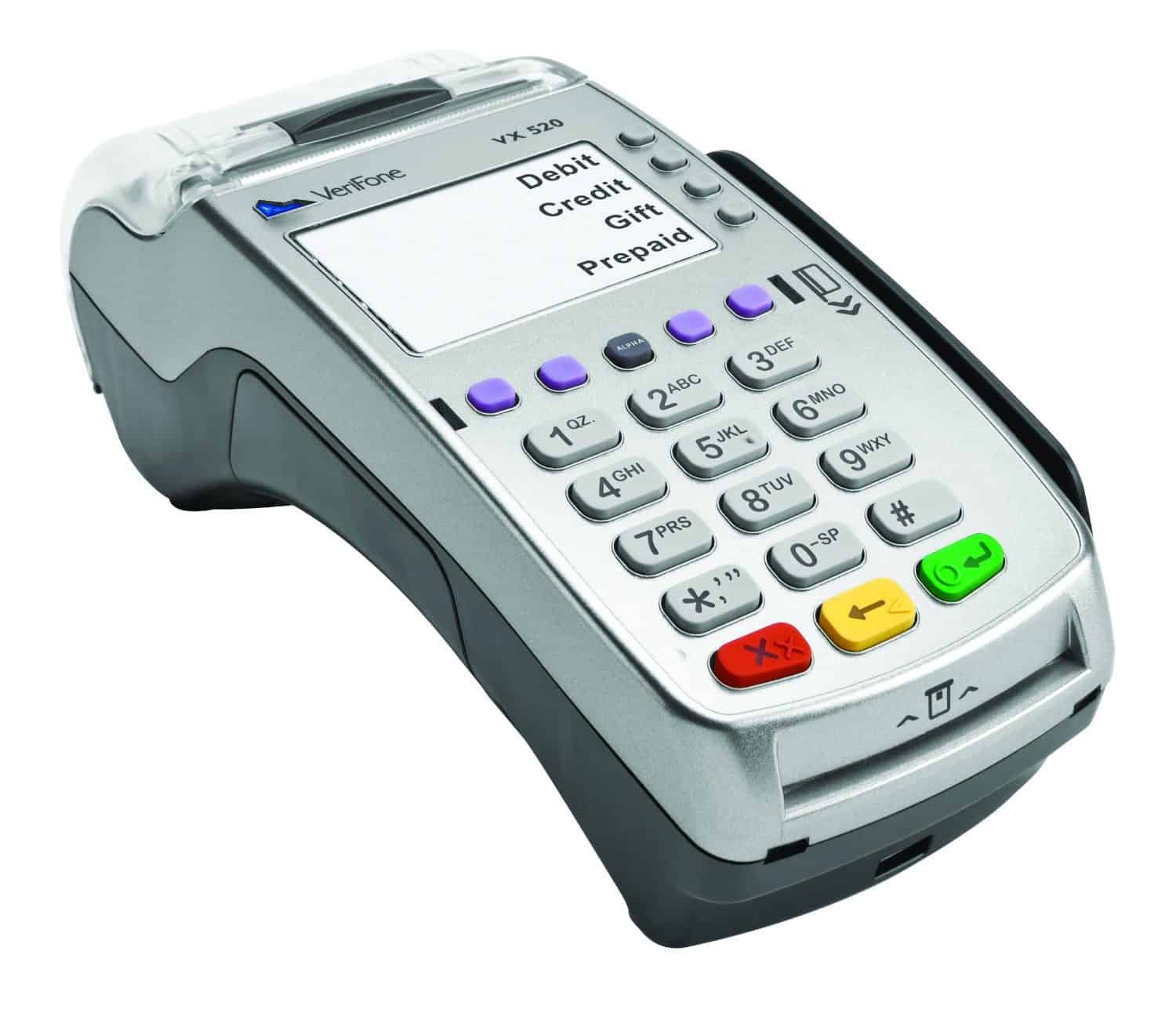
Verifone does not list hardware pricing on its website, so you’ll need to get a quote. The company offers registers, fuel site controllers, self-serve food order kiosks, and credit card terminals.
Verifone hardware is universal, so you can use it with almost any POS software you like.
Verifone has several POS systems, along with payment devices and fuel site controllers.
Payment Processing Costs
Verifone partners with First Data, Heartland, National Bankcard Services, and Worldpay to meet your convenience store POS system payment processing needs.
Contract Requirements/Warnings
If you choose to purchase a Verifone POS or credit card terminal from a third-party seller, Verifone is not responsible for repairing or replacing any damaged devices.
If you purchased a device from an authorized Verifone seller, it is covered under a warranty for either 13 months or 36 months, depending on the device.
Choose Verifone If...
You want to choose from a strong line of POS hardware
You want strong integrations for carwashes, digital signage, hot food sales, and more
Geared toward alcohol, vape, cannabis, and lottery sales
Excellent theft prevention features
Affordable monthly plans
High-risk merchant accounts available
Cons
Limited third-party integrations
Outdated interface
No built-in fuel sales
Why We Chose KORONA POS
KORONA has developed POS features specifically for convenience stores selling regulated items, especially alcohol, at a great price, so you won't need to combine several add-ons to create a holistic convenience store POS system.
The provider has also taken into account the high employee turnover rates and theft that can plague a convenience store and has built features into its POS to mitigate these issues.
The Core plan will work for very small stores, but we do recommend at least the Advanced plan for most stores that want excellent inventory management features.
Since KORONA pricing is per terminal, we recommend that you consider how many terminals you really need in your stores before you sign on with KORONA. You can always add more terminals later.
If you pay annually, you get one month free.
KORONA Features
KORONA POS Features
Availability
Multi-Store Support
Contactless Payments
Multi-Channel Selling
With integration
Gift Cards
Customer Loyalty
Marketing Tools
Online Ordering
With integration
Inventory Management
Reporting
Menu Management
Delivery Management
EBT Acceptance
Employee Management
Text Messaging
KORONA offers the majority of convenience store sales features you need, including:
EBT sales
ID verification
Age restrictions on items
Lottery ticket scanning
Food sales
Alcohol sales
However, KORONA’s most unique POS features are its loss prevention features, affordable inventory management, and franchise capabilities:
Forced drawer closing, blind till counts, and restricting cash drawer access
Require manager approval for item voids, price changes, item returns, and inventory changes
Run cash drawer reports at any time, at the end of shifts, and set maximum allowed balance differences
Cashier balance and time tracking reports
Restrict which cashiers can grant permissions to other cashiers
Set reordering levels with preferred vendor/warehouse reordering sources
Pack to single item conversion
Product performance reports, including slow sellers, product movement, and reorder optimization level recommendations
Stock difference lists and product discrepancy reports
TSYS, First Data, Heartland, Cayan, Clearant, Elavon, EVO, Merchant Warehouse, Merchant Payment Systems, Global Payments, Cost Plus Processing, and Eagle Processing can all be used to process payments on transactions made through KORONA POS.
Contract Requirements/Warnings
KORONA POS offers a free trial, which you may use for as long as you like before buying. However, the free trial does have limitations.
You may cancel a monthly KORONA account at any time.
Choose KORONA POS If...
You operate a multilocation business or franchise
You want strong inventory management and loss prevention features
Merchant Maverick has been researching and reviewing POS providers since 2012. Our writers have tested over 100 different point of sale systems, evaluating pricing, features, ease of use, customer service, and user reviewers. Read more about how we rate POS providers.
Weighted Rating Breakdown
Pricing 35%
Features 30%
Ease Of Use 20%
Customer Service 10%
User Reviews 5%
When comparing different POS software systems, we consider many data points, including relative pricing, the depth of niche features offered, the price of hardware, and any associated payment processing fees. Our lists of the best providers include only apps we’ve deemed worthwhile from multiple vantage points. The POS vendors we pick share qualities such as widespread availability, accessibility, user-friendliness, and reasonable pricing. We also look carefully at niche features, such as check-splitting, inventory management, eCommerce, loyalty programs, gift cards, and more.
We spend an average of 10-15 hours researching and updating each one of our lists, making sure the providers included meet our internal standards for quality and reputation.
80+
Vendors evaluated
65+
Attributes assessed per vendor
20+
Features weighed
30+
Combined years of experience
Which Convenience Store POS System Is Right For Your Business?
The best POS system for your convenience store depends on your store’s store offering, budget, niche fresh food and regulated item sales software requirements, and what kind of convenience store POS hardware you’d like to add to your location.
Always consider the cost of your software, keeping in mind that onboarding more employees or adding more registers can drastically change the cost of your subscription. Take note of payment processing fees and agreements, as well as POS hardware availability, when choosing the POS system for your convenience store.
Also, always read your contract terms before signing anything. Look out for early termination fees, long-term contracts, hardware leasing fees, and any other red flags. If you like the software but not the contract terms, consider negotiating a better merchant agreement.
Nicolette began writing on small business topics in 2020. After hundreds of hours researching, testing, and assisting small business owners with web building and point of sale software, she is now an expert on all things eCommerce and point of sale. She has a bachelor’s degree in English from the University of Pittsburgh and resides in Pittsburgh, Pennsylvania.
View Nicolette Kier's professional experience on LinkedIn.
Want to help shape the future of the Merchant Maverick website? Join our testing and survey community!
By providing feedback on how we can improve, you can earn gift cards and get early access to new features.
We Recommend Square POS For Your Business 🏆User-friendly & feature-rich point of sale system with affordable pricing.Square POS is an intuitive and simple point of sale platform. It offers customizable tools and a variety of add-ons to fit your business needs and reach your goals.Get StartedNo credit card required
We Want Your Feedback!
Help us to improve by providing some feedback on your experience today.
The vendors that appear on this list were chosen by subject matter experts on the basis of product quality, wide usage and availability, and positive reputation.
Merchant Maverick’s ratings are editorial in nature, and are not aggregated from user reviews. Each staff reviewer at Merchant Maverick is a subject matter expert with experience researching, testing, and evaluating small business software and services. The rating of this company or service is based on the author’s expert opinion and analysis of the product, and assessed and seconded by another subject matter expert on staff before publication. Merchant Maverick’s ratings are not influenced by affiliate partnerships.
Our unbiased reviews and content are supported in part by affiliate partnerships, and we adhere to strict guidelines to preserve editorial integrity. The editorial content on this page is not provided by any of the companies mentioned and has not been reviewed, approved or otherwise endorsed by any of these entities. Opinions expressed here are author’s alone.
We Recommend Square POS For Your Business 🏆User-friendly & feature-rich point of sale system with affordable pricing.Square POS is an intuitive and simple point of sale platform. It offers customizable tools and a variety of add-ons to fit your business needs and reach your goals.Get StartedNo credit card required